Vibe Coding Tips for Students: A Practical Guide to AI-Assisted Coding
Vibe coding lets students build software by describing what they want in plain language while AI tools generate the code. For students in Hyderabad’s fast-growing IT and startup scene, it works best as a learning accelerator, not a replacement for programming fundamentals. This guide from Vibe Coding Masters covers practical vibe coding tips for students, the best AI coding tools, a step-by-step roadmap, real project ideas, and honest career and salary guidance for India.
★★★★★
4.9/5 rated by 1329+ students · Google Verified
Table of Contents
Introduction
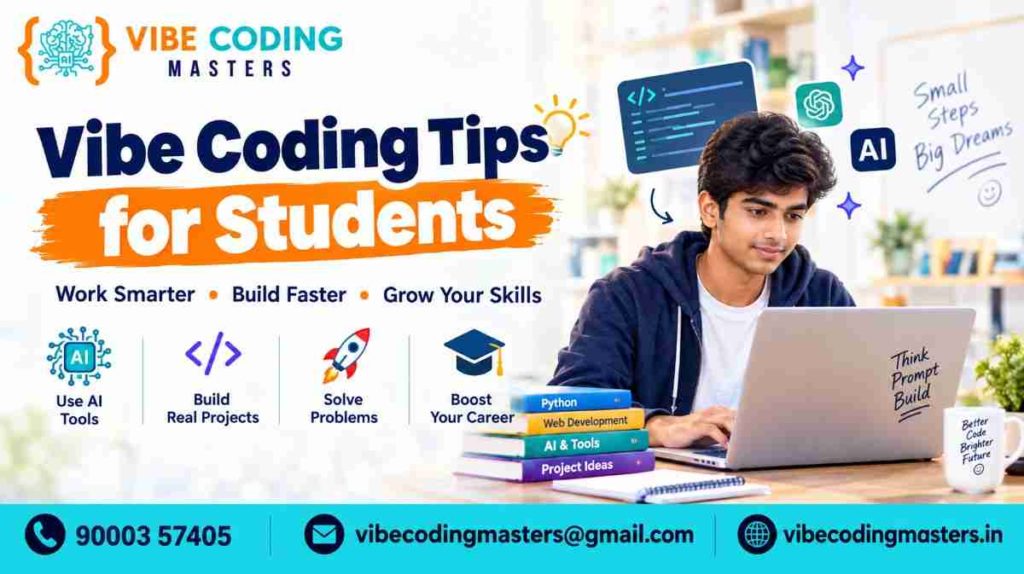
If you’re a student who has typed a few lines into ChatGPT or Cursor and watched a working app appear, you already know why “vibe coding” has become one of the most talked-about ways to learn programming. But there’s a real difference between using AI to speed up your work and using AI to skip understanding altogether — and that difference decides whether vibe coding helps your career or quietly holds it back.
Vibe coding, in simple terms, means describing what you want to build in plain English and letting an AI assistant generate, test, and refine the code, while you guide the process through prompts and review. The term was coined by AI researcher Andrej Karpathy in early 2025, and by 2026 it has grown from a casual experiment into a genuine skill that employers, freelance clients, and even college professors now expect students to understand.
For students, this shift matters for a few concrete reasons
- You can go from idea to working prototype in hours instead of weeks, which is huge for college submissions, hackathon builds, and portfolio building.
- AI-assisted coding is changing how programming is taught and practiced — debugging, code review, and prompt writing are becoming core skills alongside syntax.
- Learning vibe coding early gives you a head start for internships, freelancing, and entry-level developer roles, and this matters even more if you’re a student in Hyderabad, where the local IT and startup ecosystem is one of India’s largest and hires heavily from nearby colleges.
- Programming fundamentals — logic, data structures, databases, and how the web works — still matter enormously. AI tools amplify what you already understand; they don’t replace it.
This guide walks through what vibe coding actually means for students, the best tools to start with, how to write prompts that get useful results, real project ideas, a learning roadmap, and a realistic look at career and salary expectations in India. Think of it as a practical companion, not a hype piece — we’ll cover the limitations of vibe coding as honestly as the benefits. If you’d rather learn this hands-on with mentorship instead of piecing it together on your own, our vibe coding course in Hyderabad covers everything below in a structured, project-based format with placement support.
Vibe Coding Tips for Students
What Is Vibe Coding for Students?
Vibe coding for students means using AI tools like ChatGPT, Claude, GitHub Copilot, or Cursor to generate and refine code from natural-language instructions, while the student stays involved in planning, testing, and understanding the result. Done well, it looks like describing a feature, reviewing what the AI generates, asking questions about unfamiliar parts, testing it, and iterating. Done poorly, it looks like pasting error messages back and forth without ever learning why the error happened.
For students specifically, vibe coding is valuable because it lowers the barrier to starting a project — you no longer need to memorize every syntax rule before building something functional. But the students who benefit most long-term are the ones who use that head start to learn faster, not to avoid learning. For a deeper breakdown of the concept itself, see our detailed guide on what vibe coding actually is.
Why Vibe Coding Is Becoming Popular Among Students
A few forces are pushing vibe coding into mainstream student life
- Faster project turnaround. College submissions, hackathon builds, and personal portfolio projects can be prototyped in a fraction of the time it used to take.
- Lower entry barrier. Students who are still learning fundamentals can see a working application early, which keeps motivation high.
- Industry adoption. AI coding assistants are now a normal part of professional software development, so learning them in college mirrors what students will do on the job.
- Better tooling. Tools like Cursor, Replit, Lovable, Bolt, and v0 have matured well beyond simple chat-based code generation, offering full project scaffolding, live previews, and integrated debugging.
- Career pressure. With more graduates entering the job market each year, students who can demonstrate AI-assisted development skills alongside solid fundamentals stand out in interviews and portfolios.
That said, popularity doesn’t mean the approach is risk-free. Employers and computer science departments are increasingly vocal that AI-generated code often contains subtle bugs, security gaps, or poor architecture when it isn’t properly reviewed — which is exactly why the tips in the next section matter so much.
Vibe Coding Tips for Students
These are the practical habits that separate students who genuinely grow their skills from those who end up dependent on AI without understanding their own code.
- Learn basic programming concepts before relying heavily on AI. Understand variables, loops, functions, and data structures first. If you can’t read the code AI generates, you can’t verify it’s correct.
- Write clear and specific prompts. “Build a login page” gives vague results. “Build a login page in React with email and password fields, client-side validation, and a Tailwind CSS design” gives something usable.
- Break large projects into smaller tasks. Ask AI to build one feature at a time — the database schema, then the API, then the UI — rather than “build my entire app.”
- Ask AI to explain generated code. Follow up every generation with, “Explain what this function does line by line.” This is one of the fastest ways to actually learn while using AI.
- Never copy code blindly. Read it. If a section looks unfamiliar, research it before including it in your project.
- Test every AI-generated feature. Click every button, try invalid inputs, and check edge cases. AI-generated code frequently works for the “happy path” but breaks on edge cases.
- Learn how to debug AI-generated code. Debugging skills matter more, not less, in an AI-assisted workflow, since you’ll often be fixing code you didn’t write yourself.
- Use Git and GitHub to track project changes. Commit after every working feature so you can roll back if an AI-suggested change breaks something.
- Understand APIs and databases. Even if AI writes the queries, you should know what a REST API does and how a relational database differs from a NoSQL one.
- Verify security and privacy issues. Ask AI directly: “Are there any security vulnerabilities in this code?” Then double-check sensitive areas like authentication and data storage yourself.
- Build projects instead of only watching tutorials. Passive learning doesn’t transfer into interview-ready skill. Ship small, real projects.
- Document projects properly. A clear README explaining what the project does, how to run it, and what you learned matters as much as the code itself.
- Create a strong GitHub portfolio. Recruiters and professors increasingly look at GitHub activity, not just resumes.
- Use AI for learning rather than avoiding learning. Treat AI like a patient tutor who never gets tired of your questions, not a shortcut around effort.
- Practice explaining your code without AI assistance. In interviews and vivas, you’ll need to explain your own project without a chatbot beside you — practice that regularly.
How Students Can Start Learning Vibe Coding
Getting started doesn’t require an advanced setup. A practical starting sequence looks like this
- Learn the basics of one programming language (Python or JavaScript are common starting points).
- Pick one beginner-friendly AI coding tool (ChatGPT or Claude for explanations and code generation; Replit for browser-based building).
- Build a tiny project — a to-do list or a calculator — entirely with AI assistance, but read every line generated.
- Gradually introduce Git for version control once you’re comfortable with basic code.
- Move to a more capable tool like Cursor or GitHub Copilot once you’re editing real projects, not just single files.
- Join student communities or college coding clubs where you can compare approaches with peers.
The key is sequencing: fundamentals first, then AI tools as an accelerator, not the other way around. If you’d rather follow a structured, mentor-led path instead of figuring this out solo, check the eligibility for a vibe coding course — most beginner-friendly programs assume zero prior coding experience.
Best AI Coding Tools for Students
There isn’t one “best” tool — different tools suit different stages of learning and different kinds of projects. At a glance
- ChatGPT and Claude — best for explaining concepts and reasoning through bugs conversationally.
- Cursor and GitHub Copilot — best once you’re editing real, multi-file projects rather than single snippets.
- Replit, Lovable, Bolt, and v0 — best for fast, browser-based prototyping and front-end scaffolding.
For students on a budget, most of these tools offer free tiers or student plans, so it’s worth trying a few before settling into a regular workflow. For a full breakdown of what each tool is best at, see our guide to software used for vibe coding, our ChatGPT vs Cursor comparison, and our walkthrough of Cursor and Antigravity.
How to Write Effective Prompts for Vibe Coding
Prompt quality directly determines output quality. As a quick baseline: be specific about language and constraints, state the goal rather than just the task, ask for explanations alongside code, iterate instead of restarting from scratch, and paste exact error text when debugging rather than paraphrasing it.
Prompt engineering and vibe coding overlap heavily here — the better you get at instructing AI clearly, the more useful every tool in your workflow becomes. For a full set of ready-to-use examples, see our dedicated guide to vibe coding prompts.
How Students Can Build Projects With Vibe Coding
A practical workflow for a student project looks like this
- Define the project scope in a short written plan — what problem it solves and who it’s for.
- Design a simple database schema or data structure before writing any code.
- Ask AI to scaffold the project structure (folders, base files, dependencies).
- Build feature by feature, testing after each one.
- Use Git commits at each stable milestone.
- Review security-sensitive areas (login, payments, personal data) manually or with a dedicated AI security review prompt.
- Write a README and deploy the project somewhere accessible, even a free hosting tier.
This structure keeps AI-assisted development organized rather than chaotic, which matters more as project size grows.
Vibe Coding Projects Every Student Should Try
- Student Management System — practice CRUD operations, forms, and database design while learning relational data modeling.
- College Event Management App — covers scheduling, registrations, and notifications; shows well in interviews as a “real use case” project.
- College Placement Dashboard — aggregates and visualizes placement data, useful for showing data-handling skills.
- E-commerce Prototype — covers product listings, cart logic, and checkout flow; a strong full-stack portfolio piece.
- AI Chatbot — combines an AI API with a simple front end, directly relevant to current industry demand.
For each of these, the value isn’t just the finished app — it’s being able to explain, in an interview, exactly what you built, why you made specific decisions, and what you’d improve. For a longer list of ideas by difficulty level, see vibe coding projects for beginners and vibe coding side project ideas.
Vibe Coding Skills Students Should Learn
- Programming fundamentals (variables, control flow, functions, data structures)
- Prompt engineering and effective AI communication
- Debugging and reading stack traces
- Git and GitHub version control
- REST APIs and how front-end and back-end communicate
- Database basics (SQL and NoSQL concepts)
- Front-end development (HTML, CSS, JavaScript, a framework like React)
- Back-end development (a language/framework such as Node.js, Python/Django, or similar)
- Basic testing practices
- Security fundamentals (authentication, input validation, common vulnerabilities)
- Deployment basics (hosting a project so others can access it)
Common Vibe Coding Mistakes Students Should Avoid
- Accepting AI-generated code without reading or understanding it
- Skipping testing because “the AI said it works”
- Never learning to debug independently
- Ignoring security warnings or skipping input validation
- Building only tutorial-style projects instead of original ones
- Failing to document projects, making them hard to explain later
- Treating every AI suggestion as correct by default
- Avoiding fundamentals entirely and hitting a wall on harder problems later
Vibe Coding vs Traditional Coding for Students
Traditional coding means writing every line manually, which builds deep fundamentals but takes longer. Vibe coding accelerates the build process through natural-language generation, which is excellent for speed but can leave gaps in understanding without review. The strongest students combine both. For the full comparison, see vibe coding vs traditional coding.
Vibe Coding vs No-Code Development
No-code platforms let users build applications through visual interfaces without writing code at all — ideal for non-technical users solving simple problems quickly. Vibe coding still produces real, readable code and far more flexibility, making it better suited to students building genuine software engineering skills. Read more in vibe coding vs no-code tools.
Vibe Coding vs Prompt Engineering
Prompt engineering is the specific skill of crafting instructions that get the best output from an AI model — it’s a component of vibe coding, not a replacement for it. See our full breakdown in vibe coding vs prompt engineering.
If you’re also weighing vibe coding against other learning paths, we’ve covered those separately too: vibe coding vs MERN stack course, vibe coding vs software testing course, vibe coding vs coding bootcamp, and vibe coding vs full stack developer course.
How Vibe Coding Helps Students Build a Portfolio
A portfolio built with vibe coding can grow faster because prototyping time drops significantly, letting students attempt more projects in the same timeframe. The key to making that portfolio credible is documentation: clear READMEs, commit histories showing iterative progress, and a short write-up on each project explaining the problem, the approach, and what was learned — including where AI helped and where manual understanding was necessary. A recognized vibe coding certification alongside your GitHub portfolio can add extra credibility when applying for internships.
Vibe Coding for College Projects and Academic Work
For semester projects, mini-projects, and final-year projects, vibe coding can help with scaffolding, boilerplate code, and debugging support. However, most institutions expect students to understand and be able to explain their submitted work in a viva or presentation, so using AI as a collaborator rather than a ghostwriter protects both academic integrity and genuine learning.
Vibe Coding for Internships and Job Preparation
Internship interviews increasingly test whether candidates can explain their own code and reasoning, not just whether they can produce a working demo. Practicing vibe coding with a habit of explaining every generated section prepares students well for these conversations, while also demonstrating a modern, industry-relevant workflow that many companies now use internally.
Vibe Coding Career Opportunities for Students
Vibe coding skills can support several entry points into the software industry in India, including AI-Assisted Developer, Junior Software Developer, Full-Stack Developer, Front-End Developer, Web Developer, and Freelance Developer roles. Employers hiring for these roles still weigh programming fundamentals, problem-solving ability, communication, testing discipline, Git proficiency, and database and API knowledge heavily — AI fluency is an addition to these requirements, not a substitute. For a fuller breakdown of roles and how to prepare for each, see career opportunities after vibe coding.
Vibe Coding Developer Salary and Career Scope in India
Salary figures vary widely across India based on company type, location, and individual skill level — as a rough 2026 market indicator, freshers typically start around ₹3–6 LPA, rising to ₹10–20 LPA at mid-level and ₹20–45+ LPA in senior or product-company full-stack roles. Hyderabad, alongside Bengaluru, is generally one of the higher-paying metro hubs for these roles given its concentration of IT and product companies. These numbers shift over time and depend heavily on location, specialization, portfolio quality, and interview performance, so treat them as indicators, not guarantees. For a detailed, fresher-focused breakdown, see vibe coding developer salary for freshers in India and what is the salary after learning vibe coding.
India Market Demand and Trends
India’s IT and software services sector continues to expand — NASSCOM, the industry’s official trade body, tracks this growth and the increasing demand for developers who can work effectively alongside AI coding assistants rather than resist them. Hyderabad in particular has grown into one of the country’s major IT hubs, with a strong base of product companies, service-based firms, and an active startup scene that regularly hires developers comfortable with both fundamentals and AI-assisted workflows. Startups and SaaS companies here are adopting AI-accelerated development to ship products faster, which is raising expectations for entry-level developers to be comfortable with these tools from day one. At the same time, industry data through 2026 shows a real tension: AI coding tool adoption is extremely high, but trust in unreviewed AI-generated code remains low among professional developers, and security researchers have found meaningful vulnerability rates in AI-generated code across popular tools. This reinforces why review, testing, and fundamentals remain essential even as AI adoption grows — for students in Hyderabad specifically, that means the demand isn’t just for “AI users,” but for developers who can responsibly direct and verify AI output.
Why Vibe Coding Is One of the Most Useful AI Skills for Students
The benefits, when the approach is used responsibly, are substantial
- Faster experimentation and iteration on ideas
- Easier entry into building real, working software
- Better learning through hands-on experimentation rather than passive tutorials
- Rapid prototyping for hackathons, contests, and personal projects
- Stronger, faster-growing portfolios
- Direct exposure to modern, industry-standard development workflows
- Support for internships, freelancing, and early entrepreneurship
But it comes with real limitations students should keep in mind
- AI hallucinations — confidently generated code that references functions or libraries that don’t exist
- Incorrect code — logic errors that look correct on the surface
- Security vulnerabilities — weak authentication, poor input validation, or exposed credentials, often falling into categories covered by the OWASP Top 10
- Dependency problems — outdated or incompatible packages introduced without review
- Poor architecture — code that works for a demo but doesn’t scale or organize well
- Lack of understanding — students who can’t explain their own project
- Debugging challenges — fixing code you didn’t write requires strong independent debugging skills
Vibe Coding Roadmap for Students
Level | What Students Should Learn | Recommended Practice | Expected Outcome |
Beginner | AI basics and programming fundamentals (variables, loops, functions) | Small coding exercises and guided AI-assisted mini-projects | Understand how AI-assisted coding works and read basic code confidently |
Intermediate | Effective prompting, APIs, Git, and database basics | Build 2–3 mini projects (to-do app, quiz app, expense tracker) | Develop working applications independently with AI support |
Advanced | Full-stack development, debugging, and testing practices | Build real-world projects (e-commerce prototype, LMS, dashboards) | Create portfolio-quality applications that demonstrate depth |
Expert | System architecture, AI-assisted workflows, and deployment | Production-style projects with proper documentation and hosting | Become genuinely job-ready for internships and entry-level roles |
Each stage builds on the last — skipping fundamentals to jump straight to “expert-level” projects usually backfires in interviews, where depth of understanding gets tested directly. For a more detailed, week-by-week version of this path, see our full vibe coding roadmap.
Future of Vibe Coding for Students
AI coding tools are expected to keep improving in context awareness, multi-file project handling, and integrated testing capabilities. For students, this likely means even faster prototyping and lower barriers to building complex applications — but it also means the demand for developers who can review, secure, and architect AI-generated systems will grow, not shrink. The students who invest in fundamentals now will be positioned to lead these AI-assisted workflows rather than simply operate them.
How to Become Job-Ready With Vibe Coding
- Build a portfolio of 4–6 well-documented, original projects rather than dozens of tutorial clones
- Practice explaining your code and decisions out loud, without AI assistance
- Learn to debug independently, not just prompt for fixes
- Get comfortable with Git, APIs, and databases at a practical level
- Contribute to open-source projects or collaborate with peers on GitHub
- Stay current with new AI coding tools, but don’t chase every new tool at the expense of depth
- Practice mock interviews that include both AI-assisted and AI-free coding rounds
Key Takeaways
- Vibe coding for students means building software through AI-guided, natural-language prompts, while still reviewing, testing, and understanding the resulting code.
- The most effective vibe coding tips for students center on pairing AI tools with real programming fundamentals, not replacing them.
- Tools like ChatGPT, Claude, Cursor, Replit, and v0 each suit different stages of a project, from learning concepts to building full applications.
- A structured roadmap — beginner to expert — combined with real, documented projects builds a portfolio that actually holds up in interviews.
- Career and salary outcomes in India remain tied to fundamentals, communication, and problem-solving skills; AI fluency is a strong addition, not a shortcut.
Conclusion
Vibe coding has genuinely changed how students can approach learning to build software — faster prototypes, more ambitious projects, and hands-on exposure to tools the industry already uses. But the students who benefit most treat these vibe coding tips for students as a foundation for deeper learning, not a way around it: understanding fundamentals, testing rigorously, debugging independently, and being able to explain every project they build. If you’re just starting out, pick one AI tool, build one small project this week, read every line it generates, and commit to learning something new from the process. If you’d rather do this with structured mentorship, real-time projects, and placement support, our vibe coding course in Hyderabad is built exactly for students starting from zero. Either way, that habit, repeated consistently, is what turns AI-assisted coding into a real, job-ready skill rather than a shortcut that runs out.
FAQ
1. What is vibe coding for students?
Vibe coding for students is the practice of using AI tools to generate and refine code from natural-language instructions, while the student stays involved in planning, testing, and understanding the result rather than accepting output blindly.
2. Is vibe coding useful for students?
Yes, when paired with fundamentals — it speeds up project building, supports portfolio development, and mirrors modern industry workflows, but it works best as a learning accelerator rather than a substitute for understanding code.
3. How can students learn vibe coding?
Start with basic programming concepts, pick a beginner-friendly AI tool like ChatGPT or Replit, build small projects while reading every line generated, and gradually move to more advanced tools like Cursor as skills grow.
4. Is vibe coding good for beginners?
Yes, it lowers the barrier to building a first working project, but beginners should pair it with active learning — asking AI to explain code rather than just generate it.
5. Which AI tools are best for vibe coding?
Popular options include ChatGPT, Claude, GitHub Copilot, Cursor, Replit, Lovable, Bolt, v0, Windsurf, and Gemini Code Assist, each suited to slightly different stages and project types.
6. Can students build projects using vibe coding?
Yes, students commonly use vibe coding to build to-do apps, portfolio websites, expense trackers, quiz applications, and more advanced full-stack projects like e-commerce prototypes.
7. Does vibe coding require coding knowledge?
Basic coding knowledge is strongly recommended, since students need to read, test, and debug AI-generated code rather than accept it without review.
8. Is vibe coding better than traditional coding?
Neither replaces the other — traditional coding builds deep fundamentals, while vibe coding accelerates building and experimentation; combining both produces the strongest results.
9. Can vibe coding help students get jobs?
It can strengthen a portfolio and demonstrate familiarity with modern development workflows, but employers still expect solid fundamentals, problem-solving, and the ability to explain your own code.
10. Is vibe coding a good career skill?
Yes, as AI-assisted development becomes standard practice across the software industry, being comfortable with these tools — while maintaining strong fundamentals — is an increasingly valuable and realistic career skill.