Vibe Coding Projects for Beginners: 25 Ideas (2026)
Vibe coding projects for beginners are small, buildable apps you create by guiding AI coding assistants with plain-English prompts instead of memorising syntax. Starting with projects like a portfolio site, to-do app, or weather app is the fastest way to learn programming in 2026. This guide covers 15 beginner projects, the AI tools to use, skills gained, difficulty levels, and a step-by-step learning roadmap.
★★★★★
4.9/5 rated by 1329+ students · Google Verified
Table of Contents
Vibe Coding Projects for Beginners: 15 Ideas to Start Building in 2026
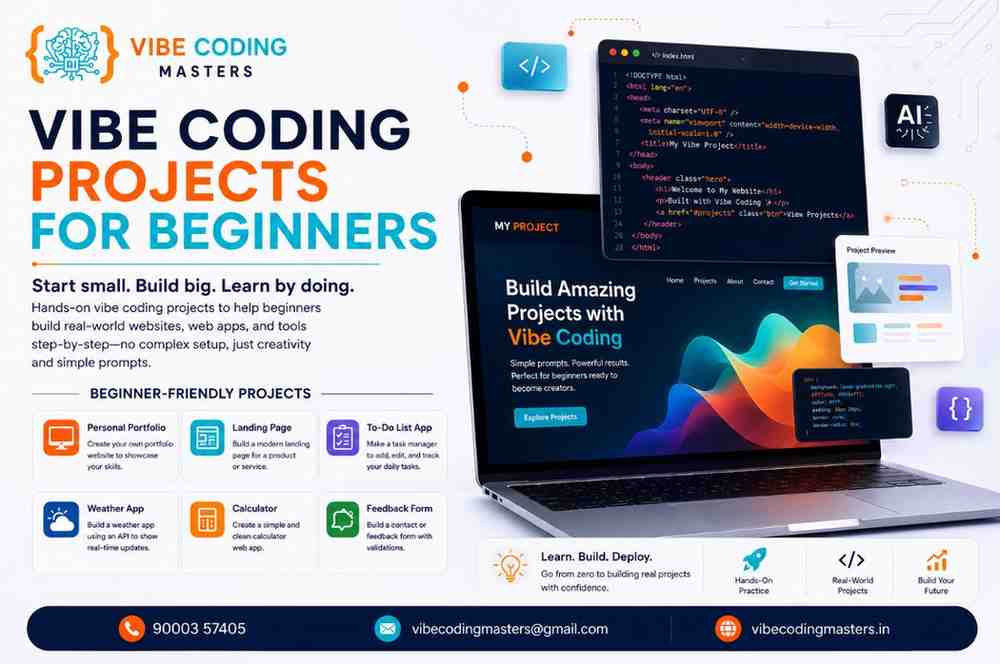
If you have ever wanted to build software but felt blocked by walls of confusing syntax, 2026 is the year that barrier finally came down. Vibe coding lets you describe what you want in plain English, and an AI coding assistant helps you turn that idea into working code. For beginners, this changes everything. Instead of spending months memorising rules before you build anything, you start on day one and learn the concepts as you go.
The best way to learn this new style is not by watching tutorials endlessly. It is by building small, complete projects. Each finished project teaches you something a video never could: how to plan an idea, prompt clearly, fix errors, and ship something people can actually use. This guide introduces fifteen beginner-friendly vibe coding projects, along with the essential tools, skills, estimated timelines, and a clear roadmap to help you build each one successfully.
This shift is not a niche trend. According to the 2025 Stack Overflow Developer Survey, 84% of developers now use or plan to use AI tools in their work, up from 76% a year earlier, and 51% of professionals use them daily. Even more telling for newcomers: GitHub’s Octoverse 2025 report found that 80% of new developers on the platform use an AI assistant within their first week. For beginners today, AI-assisted building is simply the default starting point.
Vibe Coding Projects for Beginners
What Is Vibe Coding?
Vibe coding is a modern, practical way of building software where you focus on describing outcomes in natural language and let AI coding assistants generate, explain, and refine the code. You still make the decisions, test the results, and shape the product. The AI simply removes the slow, memory-heavy part of typing every line by hand.
Think of it as the difference between building furniture from raw timber versus assembling it from smart, labelled parts while a knowledgeable helper stands beside you. You still need to understand what a strong joint looks like, but you get to the finished piece far faster. If you want a deeper definition, our full explainer on what vibe coding is breaks the concept down with more examples.
The important thing to understand is that vibe coding does not replace learning. It reorders it. You learn logic, structure, and problem-solving by building real things, picking up syntax naturally rather than front-loading it. This is why a project-first approach like the one taught in a good Vibe Coding Course In Hyderabad works so well for absolute beginners.
Why Beginners Should Learn Vibe Coding
Traditional programming has a steep, discouraging first month. Many learners quit before they ever build something they are proud of. Vibe coding flips that experience. You get a working result quickly, and early wins keep you motivated to continue.
There is also a clear market reason. In India, roughly 11.7% of all job postings now explicitly require AI skills, up from 8.2% just a year earlier, and demand for AI-capable developers is rising around 40% year over year while the skilled talent pool grows only 15 to 20%. That gap is exactly where opportunity lives for a motivated beginner. Learning to build with AI now positions you ahead of the crowd, not behind it.
Vibe coding is also genuinely accessible. You do not need a computer science degree or years of preparation. If you are coming from a non-technical background, our guide to vibe coding for non-programmers shows how people from commerce, arts, and other streams are building real applications. Curiosity and consistency matter more than a technical pedigree, which is why a beginner-friendly Vibe Coding Course In Hyderabad starts every learner from zero.
Benefits of Building Vibe Coding Projects
Reading about coding and doing coding are two different worlds. Projects are where real learning happens, forcing you to combine many small skills into a finished whole. Here is what they give you.
- Faster, deeper learning. You remember concepts far better when you use them to solve a real problem than when you memorise them in isolation.
- A portfolio that gets you hired. In 2026, recruiters increasingly value demonstrable work over certificates. Multiple India salary reports note that a strong portfolio of deployed projects can raise a fresher’s offer conversion and negotiation leverage more than any single credential.
- Confidence with real tools. You learn version control, deployment, APIs, and debugging by doing, not by reading about them.
- Proof you can finish things. Employers and clients want people who ship. Every completed project is evidence you can take an idea from zero to done.
- A feedback loop that compounds. Each project makes the next one easier, and you start to see patterns that turn beginners into capable builders.
Essential AI Coding Tools for Beginners
You do not need every tool on the market, just one or two that fit your workflow and a willingness to prompt them well. Most beginners pair a general AI chat assistant for planning and explanations with an AI-powered editor for generating and editing code.
Popular beginner-friendly assistants include ChatGPT and Claude for conversation-style help and explanations, GitHub Copilot for inline code suggestions inside your editor, and AI-native editors such as Cursor and Windsurf that let you build whole features from a prompt. Browser-based platforms like Replit AI, along with app-builders such as Lovable and Bolt.new, let you go from idea to a live app without installing anything. Google’s Gemini rounds out the set as another capable general assistant.
You do not have to choose perfectly on day one. Try one, build something, and adjust. If you want a fuller breakdown of options and when to use each, see our overview of the software used for vibe coding. And because good results depend heavily on how you ask, keep a library of reusable vibe coding prompts handy as you learn.
AI Coding Tools Comparison
Tool | Best For | Key Advantage | Limitation for Beginners |
|---|---|---|---|
ChatGPT | Planning, explaining, debugging help | Conversational and great at teaching concepts | Not inside your editor by default |
GitHub Copilot | Inline suggestions while typing | Speeds up writing code in real time | Less helpful for whole-app planning |
Cursor | Building features from prompts | AI-native editor with strong context awareness | Slight learning curve on setup |
Claude | Long explanations and careful reasoning | Clear, structured answers for learners | Best paired with an editor |
Gemini | General research and code help | Strong all-round assistant | Output still needs human review |
Replit AI | Building and running apps in the browser | Zero-setup, deploy instantly | Free tier limits on larger projects |
A note that applies to every tool above: trust is not automatic. Independent 2026 surveys found that fewer than a third of developers fully trust AI output without checking it. Always read, test, and understand what the AI produces. That habit is what separates a builder from someone who just copies and pastes.
Best Vibe Coding Projects for Beginners: 25 Ideas
1. Personal Portfolio Website
A single-page site that showcases who you are and the projects you have built. This should be your very first build because it becomes the home for everything else you make. It teaches you the fundamentals of structuring and styling a web page, and by the end you have a live link to share with recruiters.
2. Calculator
A working calculator with buttons and a display. It looks simple, but it teaches you how to capture user input, handle events, and manage logic and state, all in a single afternoon.
3. To-Do List Application
The classic beginner project for a reason. You learn how to add, display, complete, and delete items, which introduces the core pattern behind almost every app: creating, reading, updating, and deleting data.
4. Notes Application
A step up from the to-do list, letting users write, save, and edit longer notes. This introduces data persistence, so your notes survive after the page reloads, your first taste of working with storage.
5. Password Generator
A tool that creates strong, random passwords based on user settings like length and character types. It teaches logic, randomness, and clean user-interface design, and it produces something genuinely useful you will actually use.
6. Quiz Application
A multiple-choice quiz that tracks the user’s score. You learn to loop through questions, handle selections, and display results, all patterns that show how data drives what appears on screen.
7. Habit Tracker
An app that lets users mark daily habits as complete and see their streaks. It combines data persistence with simple visual feedback, and teaches you to think about how people use a product over time.
8. Weather App
An app that shows current weather for any city by pulling live data from a weather service. This is a milestone project because it is your first introduction to APIs: your app talks to another service on the internet and displays what it gets back.
9. Expense Tracker
A tool to log income and expenses and see a running balance. It reinforces data management and introduces basic calculations and categorisation you will reuse in countless future apps.
10. URL Shortener
A service that turns long links into short ones. This is where many beginners first touch backend logic: you need somewhere to store and look up the short-to-long link mapping.
11. Chatbot
A simple conversational assistant, either rule-based or connected to an AI model through an API. It teaches you to send and receive messages and handle back-and-forth interaction.
12. Blog Website
A site where you can publish and read posts. This project brings together frontend display and backend storage, a great stepping stone toward full-stack development. Our guide on whether you can build a website with vibe coding walks through this kind of build.
13. Task Manager
A more advanced to-do system with projects, priorities, and due dates. It pushes you to design more complex data and think about how features connect, a real full-stack mindset.
14. AI Resume Builder
A tool that helps users generate and format a resume, optionally using an AI model to improve wording. It is a portfolio standout because it solves a real problem and shows you can combine a clean interface with AI features.
15. Simple E-commerce Store
A small shop with product listings, a cart, and a checkout flow in demo mode. This is the most ambitious project on the list and a fantastic capstone, because it touches nearly every skill: interface, data, state, and backend logic working together.
16. AI Image Generator
Build an application that creates images from text prompts using an AI image generation API. Users can enter a description and receive AI-generated artwork within seconds. This project teaches API integration, asynchronous requests, prompt engineering, image handling, and user experience design. It also demonstrates how modern AI services can be integrated into web applications.
17. AI Code Generator
Create a coding assistant that generates code snippets based on natural language prompts. Users can request HTML, CSS, JavaScript, Python, Java, or SQL examples. This project introduces Large Language Model (LLM) integration, prompt optimization, response formatting, and syntax highlighting, making it an excellent portfolio project for aspiring AI developers.
18. AI Document Summarizer
Develop a tool that allows users to upload documents or paste lengthy text and receive concise summaries. This project demonstrates natural language processing concepts, file uploads, text extraction, and AI-powered content summarization. It is highly relevant for productivity applications used in education and business.
19. AI Interview Preparation Assistant
Build an application that generates interview questions, evaluates user answers, and provides personalized feedback. You can include technical, HR, and behavioral interview categories. This project combines AI, user authentication, scoring systems, and real-time interactions while solving a practical problem for job seekers.
20. Employee Management System
Create a web application for managing employee records, departments, salaries, attendance, and roles. Users can perform Create, Read, Update, and Delete (CRUD) operations through an intuitive dashboard. This project strengthens database design, authentication, authorization, and backend API development skills.
21. Student Management System
Develop a complete student information portal where administrators can manage admissions, courses, attendance, grades, and student profiles. This project helps you understand database architecture, user access management, interactive dashboards, and modern interfaces designed for educational platforms.
22. Online Food Ordering System
Design a restaurant ordering platform featuring menus, food categories, shopping carts, order placement, and payment simulation. This project demonstrates dynamic product listings, order management, inventory concepts, and customer-friendly user interfaces similar to commercial food delivery applications.
23. AI Email Writer
Create an AI-powered email assistant that generates professional emails based on user instructions. Users can choose different tones such as formal, friendly, or persuasive. This project showcases prompt engineering, AI API integration, content generation, and practical productivity features that businesses use every day.
24. Real-Time Chat Application
Build a messaging platform where users can communicate instantly through private or group conversations. Add typing indicators, online status, notifications, and file sharing for a richer experience. This project introduces WebSockets, real-time communication, authentication, and scalable backend architecture.
25. AI Learning Management System (LMS)
Develop an online learning platform where students can enroll in courses, watch lessons, complete quizzes, and receive AI-generated study recommendations. Include progress tracking, certificates, and personalized learning paths. This advanced capstone project combines authentication, AI integration, databases, dashboards, APIs, and cloud deployment, making it one of the strongest portfolio projects for aspiring full-stack AI developers.
Easy Vibe Coding Projects to Practice
If you want quick, motivating wins, start with the first six projects above: the portfolio, calculator, to-do list, notes app, password generator, and quiz. Each can be completed in a day or two and teaches a distinct fundamental skill. Finishing several in your first two weeks builds real momentum and a small collection of work to show.
The trick is to actually finish and deploy these rather than leaving them half-built. A finished, live calculator beats three abandoned ambitious apps every time. Ship small and ship often.
Beginner Project Ideas Using AI Coding Assistants
Once you are comfortable, the middle projects show what AI assistants make possible: the weather app teaches API integration, the chatbot connects you to an AI model, and the AI resume builder pairs a polished interface with an AI feature that stands out in a portfolio.
For these, lean on your AI assistant not just to write code but to explain it, so each project doubles as a lesson rather than a copy-paste exercise.
Project Difficulty Comparison
Project | Difficulty | Technologies | Estimated Time | Skills Gained |
|---|---|---|---|---|
Personal Portfolio Website | Easy | HTML, CSS | 1–2 days | Page structure, styling, deployment |
Calculator | Easy | HTML, CSS, JavaScript | Half a day | Events, logic, state |
To-Do List Application | Easy | HTML, CSS, JavaScript | 1 day | CRUD basics, DOM handling |
Notes Application | Easy | JavaScript, local storage | 1–2 days | Data persistence |
Password Generator | Easy | JavaScript | Half a day | Logic, randomness, UI |
Quiz Application | Easy–Medium | HTML, CSS, JavaScript | 1–2 days | Loops, conditionals, state |
Habit Tracker | Medium | JavaScript, storage | 2–3 days | Persistence, visual feedback |
Weather App | Medium | JavaScript, APIs | 2–3 days | API calls, async data |
Expense Tracker | Medium | JavaScript, storage | 2–3 days | Data management, calculations |
URL Shortener | Medium | Node.js, database | 3–5 days | Backend basics, storage |
Chatbot | Medium | JavaScript, AI API | 3–4 days | API integration, messaging |
Blog Website | Medium–Hard | React, Node.js, database | 1 week | Full-stack fundamentals |
Task Manager | Medium–Hard | React, Node.js, database | 1 week | Complex data, relationships |
AI Resume Builder | Medium–Hard | React, AI API | 1 week | UI plus AI feature integration |
Simple E-commerce Store | Hard | React, Node.js, database | 2 weeks | End-to-end app architecture |
Skills You Develop Through Vibe Coding Projects
Every project on this list builds transferable skills. On the frontend, you learn to structure content, style it responsively, and make it interactive. Our frontend vibe coding project guide goes deeper here.
As you move into weather apps, chatbots, and URL shorteners, you pick up backend thinking: storing data, handling requests, and working with APIs. The backend vibe coding project walkthrough covers server-side skills in more depth. By the time you reach the blog, task manager, and e-commerce store, you are practising true full-stack development, which our full-stack vibe coding project guide explores.
Beyond the technical stack, you develop the meta-skills that matter most: breaking a big idea into small pieces, writing clear prompts, reviewing code you did not write by hand, and debugging calmly. Employers call these skills “AI-ready,” and they increasingly separate candidates in the current market.
Common Mistakes Beginners Should Avoid
The path is simple, but a few predictable mistakes slow beginners down. Watch out for these.
- Copying AI output without understanding it. If you cannot explain what a piece of code does, you have not learned it yet. Ask your assistant to walk you through it.
- Jumping to hard projects too soon. Trying to build an e-commerce store on week one leads to frustration. Earn your way up the difficulty ladder.
- Never finishing anything. A folder full of half-built apps teaches you little. Completion is the skill.
- Ignoring deployment. A project that only runs on your laptop cannot be shared. Learn to put your work online so it becomes part of your portfolio.
- Skipping the basics of version control. Not saving your progress properly costs beginners hours of lost work. Learn Git early.
- Trusting AI blindly on security. For anything involving logins or payments, never ship AI-generated code without careful review. This matters even in beginner projects that touch user data.
Tips to Complete Your First AI Coding Project Successfully
Your first project sets the tone. Here is how to make sure you finish it and enjoy the process.
Start by choosing something small and specific, like the calculator or to-do list. Write down exactly what it should do in plain language before you touch any code. Then work in small steps: build one feature, test it, and only then move to the next. When you hit an error, paste it into your AI assistant and ask it to explain the cause, not just the fix, so you learn something each time.
Deploy early, even if the project is not finished, so you get comfortable with putting work online. Save your progress with Git as you go. And when the project works, do not stop there: write a short description of what you built and learned, then add it to your portfolio site so every project becomes a career asset.
Best Programming Languages for Vibe Coding
You do not need to learn every language. For beginners building the projects above, a small, focused set covers almost everything.
HTML and CSS are your starting point, giving you the structure and style of web pages. The Mozilla-maintained MDN Web Docs are the gold-standard free reference for both, and the open web standards behind them are published by the W3C. JavaScript is the language that makes pages interactive and powers most of your early projects. As you grow, Python is a superb, readable language especially suited to AI-related and backend work.
On the framework side, React is the most popular way to build modern, component-based interfaces, and Node.js lets you use JavaScript on the backend so you can write full-stack apps in one language. Underpinning all of this, learn version control with Git to save and manage your work like a professional. That combination, plus fluency in guiding your AI assistant, is more than enough to build every project in this guide.
How AI Helps Beginners Write Better Code
AI assistants do more than save keystrokes. For a beginner, a well-used assistant is like having a senior developer on call. It can scaffold a project structure so you are not staring at a blank screen, suggest cleaner ways to write something, catch obvious bugs, and explain unfamiliar concepts in language you understand.
The productivity gains are real and measured. GitHub’s research found developers completed a coding task 55% faster with an AI assistant, and broad 2026 surveys report roughly 3.6 hours saved per developer per week. For a learner, that saved time translates directly into more projects finished and more concepts absorbed.
But the deepest benefit is educational. Ask your assistant to explain its choices and review your logic, and you get personalized tutoring on every line. Beginners who treat AI as a teacher, not just a shortcut, progress dramatically faster.
Learning Roadmap for Beginner Vibe Coders
Structure beats randomness. This four-stage roadmap takes you from complete beginner to confident builder. For a more detailed path, see our full vibe coding roadmap.
Beginner Learning Roadmap
Stage | Focus | What You Build | Outcome |
|---|---|---|---|
Beginner | HTML, CSS, JavaScript basics and prompting | Portfolio, calculator, to-do list, notes app | Comfort with the web and your AI assistant |
Intermediate | APIs, data persistence, cleaner UI | Weather app, quiz, habit tracker, expense tracker | Ability to build interactive, data-driven apps |
Advanced | Backend, databases, React fundamentals | URL shortener, chatbot, blog website | First full-stack applications |
Expert | Architecture, auth, deployment at scale | Task manager, AI resume builder, e-commerce store | Portfolio-ready, job-relevant projects |
Move through the stages at your own pace, but do move. The learners who progress fastest are the ones who finish a project at each stage before advancing to the next, and a structured Vibe Coding Course In Hyderabad keeps that momentum going with mentor guidance throughout.
Why Vibe Coding Is One of the Best Ways for Beginners to Learn Programming
Vibe coding compresses the distance between “I want to build this” and “I built this.” That single change reshapes the entire beginner experience.
You learn faster because you are solving real problems from the start rather than memorising abstractions. You gain real-world experience because your projects mirror what actual developers build. Your productivity climbs as you get comfortable directing AI, which means more finished work in less time. That finished work becomes a portfolio, and in a market where deployed projects increasingly outweigh certificates for freshers, a strong portfolio opens career doors.
The career opportunities are substantial and local. Hyderabad has become one of India’s strongest technology and Generative AI hubs, with global capability centres, product companies, and startups clustered across areas like Gachibowli. Fresher developer roles in the city commonly sit in the ₹4–10 LPA band, GCC offices often pay upward of ₹8 LPA, and AI-aligned skills can add a 30–50% premium over generalist profiles. Building a portfolio of AI-assisted projects is one of the most direct ways to seize that opportunity, and a best Vibe Coding Course In Hyderabad can accelerate it with mentorship and real project guidance.
Future of Vibe Coding
Vibe coding is not a passing fad; it is the direction the whole industry is moving. Google’s DORA 2025 research found that roughly 90% of software teams now use AI at work daily. India’s AI market, valued at around USD 9.5 billion in 2024, is forecast to grow past USD 130 billion by 2032. And the U.S. Bureau of Labor Statistics projects 17% growth in software developer roles through 2033, adding hundreds of thousands of positions. That expanding demand increasingly favours developers who can work fluently with AI.
For beginners, the message is encouraging. The skills you build through these projects, prompting well, reviewing AI output, and shipping working software, are precisely the skills the market is rewarding. Starting now, while the field is still young, gives you a genuine head start. If you want to validate your skills formally as you build, a recognised vibe coding certification can strengthen your profile alongside your portfolio, and understanding the salary after learning vibe coding helps you set realistic goals.
Key Takeaways
- Build projects, not just tutorials. Finished, deployed projects are the fastest way to learn vibe coding and the strongest proof of skill for employers.
- Start small and climb. Begin with a portfolio, calculator, and to-do list, then work up to APIs, backend, and full-stack apps like a blog or e-commerce store.
- Use AI as a teacher, not a crutch. Ask your assistant to explain its code so you learn, and always review output before you trust it.
- Learn a focused stack. HTML, CSS, JavaScript, Python, React, Node.js, and Git cover every project in this guide, plus the skill of prompting well.
- The timing is ideal. With AI adoption above 80% among developers and AI skills commanding real salary premiums in hubs like Hyderabad, starting now gives you a genuine head start.
Conclusion
Every experienced developer was once a beginner staring at a blank screen. What is different in 2026 is that you no longer face that screen alone: with AI coding assistants beside you and a clear list of projects to build, the path from newcomer to confident builder has never been shorter.
So pick one project from this guide, the calculator or the to-do list is perfect, and start today. Finish it, deploy it, and add it to your portfolio. Then do it again with the next project, and the next. Practice consistently, explore different AI coding assistants, and let each completed build add to a portfolio that opens real doors. If you want structure, mentorship, and real project guidance to move faster, consider enrolling in a join the Vibe Coding Course In Hyderabad program and start building your future one project at a time. The best time to begin was yesterday. The second best time is right now.
FAQ
- What are the best vibe coding projects for beginners?
The best starting projects are a personal portfolio website, a calculator, and a to-do list application. They teach core skills quickly and give you finished work to show. From there, progress to a weather app, chatbot, and eventually a small e-commerce store as your confidence grows.
- Do I need coding experience to start vibe coding projects?
No. Vibe coding is designed for beginners with no prior experience. You guide AI coding assistants using plain-English prompts and learn programming concepts by building real projects, rather than memorising syntax first.
- Which AI tools are best for beginner coding projects?
Beginners commonly use a general assistant like ChatGPT, Claude, or Gemini for planning and explanations, alongside an AI editor such as Cursor or GitHub Copilot for writing code. Browser platforms like Replit AI let you build and deploy without any setup.
- How long does it take to complete a beginner vibe coding project?
Simple projects like a calculator or to-do list take a few hours to a day. Medium projects such as a weather app take two to three days. Ambitious full-stack projects like an e-commerce store may take one to two weeks.
- What programming languages should a beginner learn for vibe coding?
Start with HTML, CSS, and JavaScript for web projects, then add Python for backend and AI-related work. React and Node.js come next for full-stack apps. Learning Git for version control early is also strongly recommended.
- Can I build a portfolio using vibe coding projects?
Yes, and you should. A portfolio of deployed projects is one of the most effective ways to demonstrate skill to employers in 2026. Many India salary reports note that a strong project portfolio can boost a fresher’s offers more than a certificate alone.
- Are vibe coding projects good enough for getting a job?
Well-built, deployed projects that you can explain clearly are strong evidence of ability. Combined with an understanding of how your code works and a grasp of version control and deployment, they make you a credible candidate for entry-level developer roles.
- Should I trust AI-generated code completely?
No. Always read, test, and understand AI output. Fewer than a third of professional developers fully trust AI code without checking it. For anything involving logins, payments, or user data, careful human review is essential.
- What is the difference between vibe coding and traditional coding?
Traditional coding requires you to write most code by hand after learning syntax. Vibe coding lets you describe outcomes in natural language while an AI assistant generates and refines code, so you build real projects sooner and learn concepts as you go.
- Where can I learn vibe coding in a structured way?
A structured, project-based program with mentorship is the fastest path for most beginners. The top-rated Vibe Coding Course In Hyderabad offers guided projects, expert trainers, and placement support to take you from beginner to job-ready.