Best Frontend with Vibe Coding Project: The Complete 2026 Guide
The best frontend with Vibe Coding project pairs React (or Next.js) with Tailwind CSS, TypeScript, and component libraries like shadcn/ui, driven by AI coding tools such as Cursor, GitHub Copilot, and v0. This stack gives AI assistants the cleanest context, ships polished UIs fastest, and offers strong, future-proof career prospects in India and globally.
★★★★★
4.9/5 rated by 1329+ students · Google Verified
Table of Contents
Introduction: Where Vibe Coding Meets Real Frotend Engineering
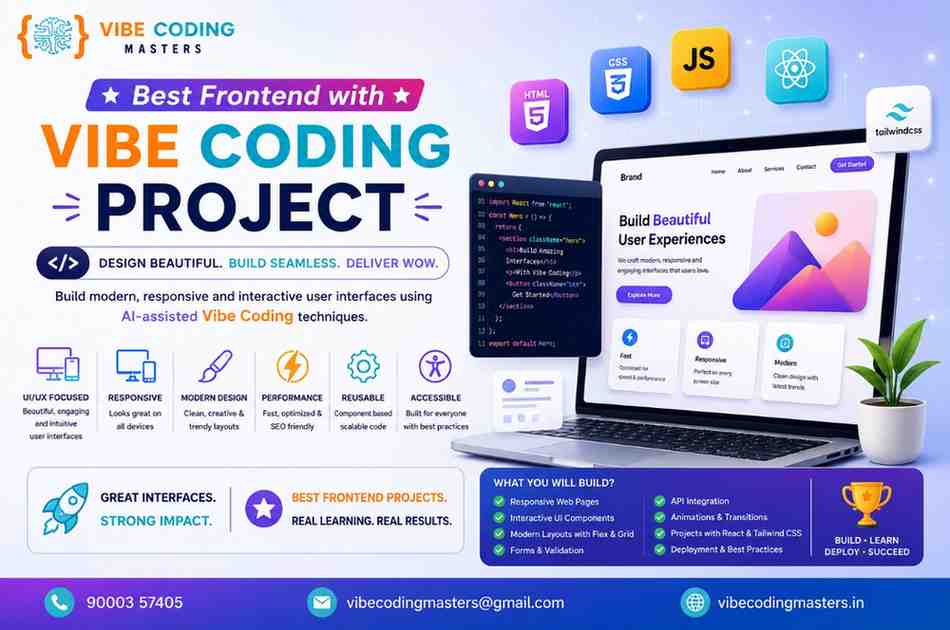
Modern web applications live or die by their frontend. It is the layer your users actually see, touch, and judge within the first few seconds — the buttons, layouts, animations, forms, and flows that turn a product idea into something people want to use. Frontend development is the discipline of building that experience in the browser using HTML, CSS, JavaScript, and the frameworks built on top of them. In 2026, the way developers build that layer is changing faster than at any point in the last decade, and the catalyst is Vibe Coding.
Vibe Coding is the practice of describing what you want in natural language and letting an AI assistant generate, refine, and wire up the code for you. The term, coined in 2025, became mainstream enough that Collins Dictionary named it Word of the Year. Instead of typing out every div, class, and event handler by hand, you describe the intent — “build a responsive pricing page with three tiers and a monthly/annual toggle” — and tools like Cursor, GitHub Copilot, or v0 produce a working first draft you then shape into production code.
This shift is exactly why businesses now prefer rapid, AI-assisted frontend development. A landing page that once took two days can be prototyped in twenty minutes. Startups validate ideas faster, agencies ship more client work, and enterprises cut iteration cycles dramatically. With an estimated 92% of developers reporting daily use of AI coding tools and a meaningful share of all new code now AI-generated, AI assistance has stopped being a novelty and has become a baseline expectation.
For developers, the career implications are huge. The frontend role isn’t disappearing — it’s being upgraded. Knowing how to choose the best frontend with Vibe Coding project stack, and how to direct AI tools to build it well, is becoming one of the most valuable and well-paid skill sets in tech. This guide walks through every part of that decision: the frameworks, the CSS systems, the component libraries, the AI tools, the career roadmap, and the salary reality in India.
Best Frontend with Vibe Coding Project
What is Frontend Development in Vibe Coding?
Front-end development inside a Vibe Coding workflow is the same craft with a new control surface. You are still responsible for the user interface — the structure (HTML/JSX), the styling (CSS), the interactivity (JavaScript/TypeScript), and the overall user experience. What changes is how the code gets written. Rather than authoring every line, you collaborate with an AI assistant that drafts components, suggests fixes, scaffolds layouts, and even generates entire pages from a prompt.
In practice, frontend development with Vibe Coding looks like a conversation. You set up your project, open an AI-native editor, and describe a feature. The assistant proposes code; you review it, ask for changes (“make the cards smaller on mobile,” “add loading states,” “use my design tokens”), and iterate until the result is right. The human stays firmly in the loop — reviewing, testing, and owning the final output — but the typing burden shifts to the machine.
The key insight is that AI-assisted frontend development rewards developers who understand fundamentals and know how to communicate intent. The better you understand components, state, accessibility, and responsive design, the better you can judge and refine what the AI produces. Vibe Coding doesn’t replace frontend knowledge — it amplifies it. It’s exactly the skill set our Vibe Coding with Frontend course in Hyderabad is built around.
Why Frontend Development is Essential for Vibe Coding Projects
Almost every Vibe Coding project is, at its heart, a frontend project. When a non-developer founder uses an app builder to spin up a SaaS MVP, the thing they’re judging is the interface. When a developer prompts Cursor to “build a dashboard,” 80% of the visible output is frontend. The frontend is where AI-generated code becomes a tangible product.
Here’s why frontend skills remain essential even in an AI-first world
- AI generates code, but humans guarantee quality. Generated components frequently need accessibility fixes, performance tuning, and responsive adjustments that only a knowledgeable developer can spot.
- Frontend is the highest-leverage surface for speed. UIs are visual and iterative, which is exactly where AI shines — so frontend is where Vibe Coding delivers the biggest productivity gains.
- Design-to-code is now a core loop. Tools like v0 turn a description into a React/Tailwind UI in seconds, but turning that draft into a maintainable codebase requires frontend judgment.
- Integration is unavoidable. State management, API calls, form validation, and routing all live on the frontend, and AI needs a developer to ensure these pieces connect correctly to the backend you build with Vibe Coding.
Without frontend competence, Vibe Coding output stays at the “looks good in a demo, breaks in production” stage. With it, you ship real products fast.
Best Frontend Technologies for Vibe Coding Projects
The best frontend with Vibe Coding project setup is built from a handful of technologies that AI tools understand exceptionally well. Because AI assistants are trained on enormous volumes of public code, the most widely used, well-documented tools produce the most reliable AI completions. Here’s the modern stack, with the purpose, advantages, and use cases of each.
JavaScript is the foundational language of the browser and the bedrock of every frontend stack. It handles interactivity, DOM manipulation, and event handling. Advantage: universal browser support and the largest ecosystem of any language. Use case: any web project, from simple sites to complex apps.
TypeScript is JavaScript with static typing. It catches errors before runtime and gives editors (and AI tools) far richer context. Advantage: in 2026 it’s effectively mandatory for serious frontend work because typed code makes AI-assisted refactoring dramatically safer. Use case: any project beyond a quick prototype, especially team codebases.
React is a component-based library for building user interfaces. Advantage: the largest ecosystem, the deepest hiring pool, and the strongest AI-tool support of any framework. Use case: SPAs, dashboards, design systems, and most production apps.
Next.js is the leading React framework, adding server-side rendering, static generation, routing, and image optimization. Advantage: best-in-class SEO and performance for content-heavy and public-facing sites. Use case: marketing sites, e-commerce, blogs, and full-stack React apps.
Angular is Google’s full-featured, opinionated framework with built-in tooling and structure. Advantage: consistency and governance at enterprise scale, now modernized with signals and a zoneless architecture. Use case: large enterprise applications and teams that value strict conventions.
Vue.js is a progressive framework known for its gentle learning curve. Advantage: the easiest on-ramp for newcomers and excellent developer experience with the Composition API and Pinia. Use case: startups, internal tools, and teams that want flexibility without React’s ceremony.
Tailwind CSS is a utility-first CSS framework. Advantage: it pairs beautifully with Vibe Coding because AI tools generate Tailwind classes accurately and consistently. Use case: virtually any modern UI where speed and design control matter.
Bootstrap is the classic component-based CSS framework. Advantage: prebuilt components and rapid prototyping with minimal custom CSS. Use case: admin panels, internal dashboards, and projects that need a fast, familiar look.
Material UI (MUI) is a React component library implementing Google’s Material Design. Advantage: a comprehensive, accessible component set out of the box. Use case: data-dense applications and teams that want a consistent, polished design language.
shadcn/ui is a modern collection of accessible, copy-in React components built on Tailwind and Radix. Advantage: you own the code, so it’s endlessly customizable — and AI tools handle it well. Use case: design-forward products that need both control and speed.
Vercel is the deployment platform built for Next.js and modern frontends. Advantage: zero-config deployments, edge rendering, and instant previews. Use case: hosting React/Next.js apps with global performance.
On the AI side, GitHub Copilot provides inline code suggestions and chat directly inside your editor; Cursor AI is an AI-native editor whose Composer can coordinate changes across multiple files from a single prompt; and ChatGPT for Coding acts as a versatile reasoning partner for planning, debugging, and explaining code. Together, these are the engines that power a Vibe Coding workflow.
React vs Angular vs Vue for Vibe Coding
Choosing your framework is the single most important decision for a Vibe Coding project, because it determines how reliable your AI completions will be. The table below compares the three core frameworks plus Next.js across the factors that matter most.
Framework | Learning Curve | Performance | Community Support | SEO Friendliness | Best Use Cases |
|---|---|---|---|---|---|
React | Moderate | Excellent (React 19 Server Components) | Largest in the ecosystem (~68% framework share) | Good (great with Next.js) | SPAs, dashboards, design systems, most apps |
Angular | Steep | Excellent (signals, zoneless) | Strong, enterprise-focused (~18–20%) | Good (with Angular Universal) | Large enterprise apps, structured teams |
Vue.js | Gentle | Excellent (3.5 Vapor Mode) | Solid #2 (~18%) | Good (with Nuxt) | Startups, internal tools, smaller teams |
Next.js | Moderate | Outstanding (SSR, SSG, edge) | Backed by React + Vercel | Best-in-class | Marketing sites, e-commerce, full-stack React |
For Vibe Coding specifically, React (and Next.js) holds a real edge: React plus TypeScript plus JSX represents the largest share of public training data, so AI assistants produce more accurate completions with fewer correction cycles. Vue generates well too, but its template-based single-file components produce slightly more AI misfires than JSX. Angular’s structure helps AI stay consistent inside large codebases, which is why enterprises still favor it.
Why React is Popular in Vibe Coding Projects
React’s dominance in AI-assisted workflows is not an accident. Several reinforcing factors make it the default choice for most Vibe Coding projects.
First, training-data advantage. AI models learned from a web full of React code. JSX, hooks, and the component model are everywhere in the data, so completions are sharper and require less hand-holding. When an AI tool knows a pattern deeply, your Vibe Coding session moves faster.
Second, ecosystem gravity. React has roughly four times more available developers than its nearest competitor in most markets, plus the richest set of libraries, starters, and tutorials. Whatever you’re building, someone has built something similar in React, which means the AI has seen it too.
Third, the Next.js and tooling halo. Many teams choosing “React” are really choosing Next.js, which bundles routing, rendering strategies, and deployment into a coherent system. Combined with Tailwind, shadcn/ui, and Vercel, React sits at the center of the most AI-friendly stack in existence.
Fourth, component-driven design fits Vibe Coding perfectly. Describing a UI as a tree of components maps naturally onto how you prompt an AI. “Build a <PricingCard /> with these props” is exactly the kind of instruction that produces clean, reusable output.
Best CSS Frameworks for Vibe Coding
Your CSS strategy shapes how quickly AI can produce a polished interface. Two approaches dominate.
Tailwind CSS has become the de facto choice for Vibe Coding. Because styling lives in utility classes right next to your markup, AI tools generate complete, styled components in a single pass — no jumping between files. Tailwind’s constraint-based system also keeps AI output visually consistent, and it’s the styling layer behind shadcn/ui and most v0 generations.
Bootstrap remains a strong option when you want prebuilt components and a familiar grid system with minimal effort. It’s ideal for admin dashboards, internal tools, and projects where speed matters more than bespoke design.
Other approaches — CSS Modules, styled-components, and vanilla CSS — still have their place, but for AI-assisted speed, utility-first Tailwind wins for most teams.
Tailwind CSS vs Bootstrap for Faster UI Development
Factor | Tailwind CSS | Bootstrap |
|---|---|---|
Approach | Utility-first (compose classes) | Component-first (prebuilt blocks) |
AI-generation accuracy | Very high — AI excels at utility classes | High for standard components |
Customization | Effectively unlimited via config | Possible but heavier to override |
Design uniqueness | Distinctive, brand-tailored UIs | Recognizable “Bootstrap look” |
Best for | Modern, design-forward products | Rapid internal tools and prototypes |
For the best frontend with Vibe Coding project results, Tailwind generally produces faster, more customizable UIs that look bespoke rather than templated — and it’s the option AI tools handle most reliably. Bootstrap still wins when you need a complete, conventional UI scaffold in minutes and don’t need a unique design.
Best UI Component Libraries for Vibe Coding
Component libraries give your AI a head start by providing accessible, well-tested building blocks. The leading options
- shadcn/ui — copy-in components on Tailwind + Radix. You own the code, so customization is total, and AI tools modify these components cleanly. The current favorite for design-forward React apps.
- Material UI (MUI) — a comprehensive React component set implementing Material Design. Great for data-heavy apps that need accessibility and consistency out of the box.
- Chakra UI — a developer-friendly system with strong accessibility defaults and a clean theming model.
- Ant Design — enterprise-grade components ideal for complex dashboards and admin interfaces.
- Headless UI — unstyled, accessible primitives that pair perfectly with Tailwind for fully custom designs.
For most Vibe Coding projects, shadcn/ui plus Tailwind is the sweet spot: AI generates and edits the components reliably, and you retain complete control over the result.
Frontend Tools Every Vibe Coder Should Learn
Beyond frameworks and libraries, a productive Vibe Coder masters a toolkit that spans editing, version control, and deployment
- Cursor AI — an AI-native code editor (a VS Code fork) with deep codebase understanding; its Composer mode coordinates multi-file changes from a single prompt.
- GitHub Copilot — inline suggestions and chat inside your editor, plus enterprise features like audit logs and IP protection.
- v0 by Vercel — generates production-ready React/Tailwind UIs from a prompt, ideal for kicking off frontend work.
- ChatGPT / Claude for coding — reasoning partners for architecture, debugging, and code explanation.
- Git and GitHub — non-negotiable for version control and collaboration; AI tools integrate directly with your repos.
- Vercel / Netlify — zero-config deployment with instant previews.
- Chrome DevTools — for inspecting, debugging, and profiling what the AI produced.
- Figma — design handoff that increasingly feeds directly into AI generation.
A reliable rule of 2026: AI-generated code always needs human review before it ships. One widely reported incident saw an autonomous AI agent delete a production database — a reminder that the tools are powerful but require a developer’s oversight.
Frontend Developer Career Opportunities with Vibe Coding
Far from shrinking the field, Vibe Coding is reshaping frontend careers toward higher leverage. Developers who can direct AI tools effectively ship more, faster — and that productivity translates into demand. Roles increasingly blend traditional frontend engineering with prompt fluency, code review at speed, and architectural judgment.
Opportunities span the full spectrum: frontend developer and UI engineer roles at product companies; freelance and contract work building landing pages and MVPs at startup speed; design-engineer hybrid roles where you turn Figma into shipped UI; and senior positions where you set standards for how teams use AI safely. The developers who thrive are those who treat AI as a power tool, not a crutch — using it to eliminate grunt work while owning quality, accessibility, and performance. Explore the full range of careers after Vibe Coding.
Industries Using Vibe Coding Frontend Development
AI-assisted frontend development has spread across virtually every sector that ships software
- IT and software services — TCS, Infosys, Wipro and similar firms use AI tools to accelerate client delivery on large projects.
- E-commerce — Flipkart, Amazon, Zomato and others need fast, conversion-optimized, user-centric interfaces.
- Fintech and finance — Paytm, HDFC, ICICI and peers build secure, functional transactional UIs.
- Startups and SaaS — the heaviest adopters, using Vibe Coding to validate and ship MVPs in days.
- EdTech — interactive learning platforms and dashboards.
- Healthcare and logistics — data-dense applications where speed of iteration matters.
Across all of these, the pattern is the same: AI handles the repetitive UI scaffolding while developers focus on the parts that need human judgment.
Skills Required for Frontend Vibe Coding Projects
Succeeding with the best frontend with Vibe Coding project approach takes a blend of timeless fundamentals and new AI-era abilities
- Core fundamentals — HTML, CSS, JavaScript, and the DOM. You can’t review what you don’t understand.
- TypeScript — now a baseline expectation for typed, AI-safe code.
- A primary framework — React/Next.js is the most marketable, with Vue and Angular as strong alternatives.
- Styling systems — Tailwind CSS and at least one component library.
- State management and data fetching — hooks, context, and patterns for APIs.
- Responsive and accessible design — the things AI most often gets wrong.
- Prompt fluency — knowing how to describe intent so AI tools produce usable output.
- Code review and debugging — judging, testing, and correcting AI-generated code quickly.
- Git and deployment — version control and shipping to platforms like Vercel.
The differentiator in 2026 isn’t whether you use AI — almost everyone does — it’s how well you combine deep fundamentals with the ability to direct AI tools. If you’re wondering whether you qualify to start, here’s the eligibility for a Vibe Coding course.
Future of Frontend Development with AI and Vibe Coding
The trajectory is clear. Frontend tooling is converging around shared ideas — signal-based reactivity (already standard in Angular, advancing in Vue’s Vapor mode, and pushed by React’s compiler) and edge-side rendering that moves hydration and routing closer to users. At the same time, the AI layer is maturing fast: editors are adopting higher-level, intent-based interaction, and industry watchers expect every major tool to support splitting work into parallel sub-agents by the end of 2026.
Consolidation is also coming. Major acquisitions and platform investments signal that a handful of dominant AI coding platforms will likely anchor enterprise contracts within the next year or two. And the next frontier — AI-native mobile generation that builds React Native and Flutter apps as easily as today’s tools build web UIs — is widely anticipated for 2026–2027.
What does not change is the need for skilled humans. The most reliable approaches increasingly blend natural-language intent with structured precision (spec-driven development), and across the board, human review remains the safeguard between an impressive demo and a production-ready product.
How to Start Building Frontend Projects with Vibe Coding
If you’re starting from scratch, this path gets you to your first real project fast
- Learn the fundamentals first. Spend real time on HTML, CSS, and JavaScript so you can evaluate AI output.
- Pick your stack. For the widest opportunity, choose React with Next.js, Tailwind CSS, and TypeScript.
- Set up an AI-native workflow. Install Cursor or add GitHub Copilot to VS Code, and keep ChatGPT or Claude handy for planning.
- Start with a prompt, refine by hand. Use v0 or your editor to generate a first draft of a page, then shape it into clean, accessible code.
- Build real projects. A portfolio site, a SaaS landing page, a dashboard, and a small full-stack app cover most interview scenarios.
- Deploy publicly. Push to GitHub and deploy on Vercel so you have live links to show.
- Always review before shipping. Test responsiveness, accessibility, and edge cases that AI tends to miss.
Why Frontend Development is One of the Best Career Choices in the AI Era
Frontend development has quietly become one of the smartest career bets of the AI era — not despite AI, but because of it. Here’s why.
High demand. Frontend is the most visible, most iterated layer of every product, and AI has only increased how much UI work organizations attempt. More products, more pages, more interfaces — all of it needs developers who can direct AI and guarantee quality.
Remote opportunities. Frontend work is inherently remote-friendly. With AI tools collapsing the time it takes to ship, distributed teams and global contracts are more accessible than ever, letting Indian developers work with companies worldwide.
Freelancing potential. A solo developer using Vibe Coding can now deliver what used to take a small team — landing pages, MVPs, and client sites at startup speed — making freelancing genuinely lucrative.
Startup ecosystem growth. India’s startup and product ecosystem keeps expanding, and these companies pay a premium for frontend talent that ships fast. Tech hubs like Bangalore, Hyderabad, and Pune lead on compensation.
AI-assisted productivity benefits. When one developer can do the work of several, individual output — and earning power — rises. The developers who master AI tools become disproportionately valuable.
The result is a role that combines creativity, technical depth, strong pay, and location flexibility — a rare and durable combination. It’s also why so many working professionals are switching into Vibe Coding.
Frontend Developer Career Roadmap
Stage | Skills to Learn | Tools | Project Types | Career Outcomes |
|---|---|---|---|---|
Beginner | HTML, CSS, JavaScript basics, Git | VS Code, Chrome DevTools, GitHub | Portfolio site, simple landing pages | Junior Frontend Developer |
Intermediate | React, TypeScript, Tailwind, APIs | Cursor / Copilot, Vercel, component libraries | Dashboards, multi-page apps, MVPs | Frontend Developer |
Advanced | Next.js, SSR/SSG, state management, performance, accessibility | v0, advanced AI workflows, testing tools | E-commerce, SaaS products, design systems | Senior Frontend Developer |
Expert | Architecture, micro-frontends, design systems, team standards | Full AI toolchain, CI/CD, monitoring | Large-scale platforms, system design | Frontend Architect / Lead |
Frontend Developer Salary in India
Compensation rises sharply with experience, framework specialization (React and Next.js command a premium), and company type (product and high-growth startups pay the most). The ranges below reflect 2026 market data; figures vary by city, with Bangalore typically highest, followed by Hyderabad and Pune.
Experience Level | Estimated Annual Salary (India) |
|---|---|
Fresher (0–2 years) | ₹3.5 – 6 LPA |
Junior Developer (2–4 years) | ₹6 – 10 LPA |
Mid-Level Developer (4–6 years) | ₹10 – 18 LPA |
Senior Developer (6–10 years) | ₹18 – 35 LPA |
Frontend Architect (10+ years) | ₹35 – 55 LPA+ |
A few patterns worth noting: React developers tend to earn roughly 10–15% more than the average due to higher demand, Next.js and TypeScript expertise command additional premiums, and senior developers at top product companies can reach the upper end of these ranges or beyond. For a fuller breakdown, see our guide to salary after learning Vibe Coding.
Industry Trends and Market Insights
The data behind the best frontend with Vibe Coding project opportunity tells a consistent story.
Frontend demand in India remains strong. Average frontend salaries cluster around ₹6–10 LPA depending on the source, with senior roles at product companies reaching far higher, and tech hubs paying a clear premium.
AI-assisted coding adoption has gone mainstream. Industry analyses point to the overwhelming majority of developers now using AI coding tools daily, with a substantial and growing share of new code being AI-generated. The vibe coding tools market alone was estimated in the multiple billions of dollars in 2026.
Vibe Coding projects are multiplying. As AI app builders and AI-native editors mature, the volume of AI-assisted projects — from MVPs to enterprise features — continues to climb, increasing the need for developers who can guide and finish that work.
Remote opportunities are expanding. Faster shipping cycles and distributed teams make remote and global contract work more attainable for skilled frontend developers.
Startup and enterprise demand both rise. Startups adopt Vibe Coding to move fast on lean budgets, while enterprises standardize on specific AI tools and modern frameworks — meaning demand exists at both ends of the market.
Key Takeaways
- The best frontend with Vibe Coding project stack is React/Next.js + TypeScript + Tailwind CSS + shadcn/ui, driven by AI tools like Cursor, GitHub Copilot, and v0.
- React leads for AI-assisted work because it dominates training data, ecosystems, and hiring — producing the most reliable AI completions.
- Tailwind CSS pairs best with Vibe Coding for fast, customizable, AI-generated UIs; Bootstrap suits quick conventional builds.
- Fundamentals still matter — AI generates code, but human developers guarantee quality, accessibility, and performance.
- Frontend is one of the best AI-era careers: strong India salaries (₹3.5 LPA for freshers up to ₹35+ LPA for architects), high demand, and remote and freelance growth.
Conclusion
The frontend layer has always been where products win or lose users, and in 2026 it’s also where AI delivers its biggest productivity gains. Vibe Coding has turned frontend development into a collaboration between human judgment and AI speed — and the developers who master that collaboration are shipping faster, building better, and earning more than ever.
Choosing the right stack is the foundation of every successful project. The best frontend with Vibe Coding project approach consistently points to React or Next.js, TypeScript, Tailwind CSS, and modern component libraries, all directed through AI tools like Cursor, GitHub Copilot, and v0. This combination gives your AI assistant the cleanest context, produces the most polished UIs, and aligns with where the job market and salaries are heading. Get the stack right and you remove most of the friction between an idea and a shipped interface.
There has never been a better moment to start. Pick your stack, set up an AI-native workflow, and build something real — a landing page, a dashboard, a small SaaS app — then deploy it publicly and iterate. Master the fundamentals, learn to direct AI tools with intent, and review everything before it ships. Do that consistently, and you won’t just keep up with the future of frontend development — you’ll be the one building it. Ready to go further? Start with hands-on Vibe Coding training in Hyderabad.
FAQ
1. What is the best frontend for a Vibe Coding project?
For most projects, the best frontend with Vibe Coding project stack is React (or Next.js) with TypeScript, Tailwind CSS, and a component library like shadcn/ui. AI tools understand this combination best, so it produces the most accurate, polished output the fastest.
2. Why is React preferred for Vibe Coding?
React dominates AI training data, so assistants like Cursor and Copilot generate more accurate React code with fewer corrections. It also has the largest ecosystem and hiring pool, and its component model maps naturally onto how you prompt AI tools.
3. What are the advantages of Next.js?
Next.js adds server-side rendering, static generation, file-based routing, and image optimization on top of React. The result is best-in-class SEO and performance, which makes it ideal for marketing sites, e-commerce, and content-heavy or public-facing applications.
4. Which AI coding tools are best for frontend development?
Cursor (an AI-native editor with multi-file Composer), GitHub Copilot (inline suggestions inside your editor), and v0 by Vercel (prompt-to-UI generation) lead for frontend work, with ChatGPT or Claude as reasoning partners for planning and debugging.
5. Is Tailwind or Bootstrap better for Vibe Coding?
Tailwind generally wins for AI-assisted development because its utility classes generate accurately in a single pass and produce distinctive, customizable designs. Bootstrap is better when you want conventional prebuilt components and maximum speed for internal tools.
6. What is a front-end developer’s salary in India in 2026?
Freshers typically earn ₹3.5–6 LPA, mid-level developers ₹10–18 LPA, and senior developers ₹18–35 LPA, with architects exceeding ₹35 LPA. React and Next.js specialists earn a noticeable premium.
7. Do I still need to learn fundamentals if AI writes the code?
Yes — more than ever. AI generates drafts, but you must review, test, and fix them. Strong HTML, CSS, JavaScript, and framework knowledge is what lets you judge AI output and ship production-quality work.
8. Can beginners use Vibe Coding to build real projects?
Absolutely. Beginners can use AI app builders and editors to ship working projects quickly, but the most successful learners pair AI assistance with steady study of the fundamentals so they understand what they’re shipping.
9. Is frontend development a good career in the AI era?
Yes. Demand is high, remote and freelance opportunities are growing, and developers who direct AI tools effectively become disproportionately productive — and valuable. Frontend combines creativity, strong pay, and location flexibility.
10. Which framework has the easiest learning curve for Vibe Coding?
Vue.js has the gentlest learning curve, making it a great entry point. React sits in the middle but offers the best AI-tool support and job market, while Angular is the steepest but excels in structured enterprise environments.