Can You Build a Website with Vibe Coding in 2026?
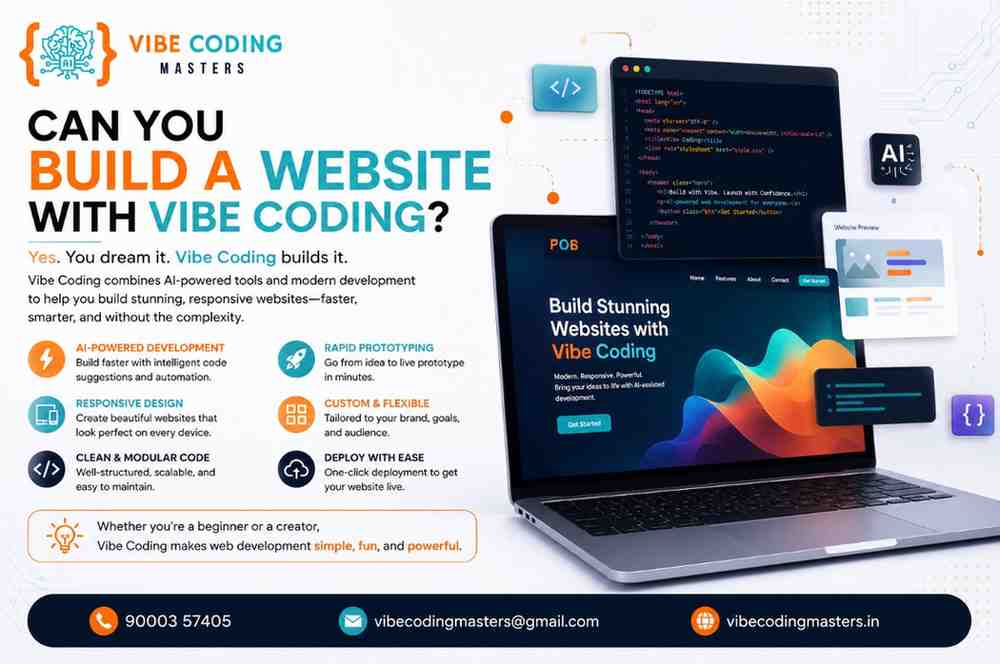
Yes, you can build a website with vibe coding. Vibe coding uses AI tools like Cursor, Lovable, Bolt.new, and GitHub Copilot to turn plain-English prompts into working HTML, CSS, JavaScript, and React code. Beginners can launch landing pages and portfolios within days, while trained developers ship full-stack websites with databases, authentication, and payments — faster and at a lower cost than traditional coding.
★★★★★
4.9/5 rated by 1329+ students · Google Verified
Table of Contents
Introduction
Imagine describing your dream website in plain English and watching working code appear on your screen within seconds. That is exactly what vibe coding makes possible in 2026, and it is why thousands of learners across India are asking one simple question: can you build a website with vibe coding?
The short answer is yes — and not just simple pages. With the right AI tools and a structured learning path, you can build business websites, e-commerce stores, SaaS dashboards, and complete full-stack applications. Since Andrej Karpathy coined the term in early 2025, vibe coding has gone mainstream: surveys show around 84–90% of developers now use AI tools in their workflow, and roughly 41% of new code is AI-generated.
This shift matters for beginners who never wrote a line of code, freelancers who want faster client delivery, startup founders who need an affordable MVP, and professionals who want to multiply their output. If you want structured, mentor-led training in this exact skill, a Vibe Coding Course In Hyderabad teaches the full workflow — from writing your first prompt to deploying a live, production-ready website.
In this guide, we answer whether you can really build a website with vibe coding, explain the process step by step, compare the best AI tools, and map the skills, careers, and salaries connected to AI-powered web development in 2026.
Can You Build a Website with Vibe Coding
Can You Build a Website with Vibe Coding?
Yes, you can absolutely build a website with vibe coding. Using AI-powered tools such as Cursor, Lovable, Bolt.new, Replit AI, and GitHub Copilot, you describe what you want in natural language, the AI generates the underlying HTML, CSS, JavaScript, and React code, and you review, refine, and deploy it as a live website.
Unlike older website builders, vibe coding produces real, editable source code — not a locked template — so your website can grow from a landing page into a database-driven store or a full SaaS product.
Here is the realistic picture in 2026
- Simple websites (landing pages, portfolios, blogs) can be vibe coded by complete beginners within hours to days.
- Business websites with contact forms, booking systems, and CMS features take a few days to two weeks with basic prompting skills.
- Complex websites (e-commerce, SaaS, dashboards) are fully achievable but require an understanding of databases, APIs, authentication, and deployment — skills a structured course teaches.
Vibe coding removes the syntax barrier, but the best results still come from people who understand what good websites are made of.
What Is Vibe Coding?
Vibe coding is an AI-assisted development practice where you describe a project or feature in a natural-language prompt, and a large language model (LLM) generates the source code automatically. Instead of typing every line manually, you guide, test, and give feedback on AI-generated code — working more like a director than a typist.
The term was coined in February 2025 by computer scientist Andrej Karpathy, and the concept spread so fast that Collins English Dictionary named “vibe coding” its Word of the Year for 2025. For a deeper foundation, read our full explainer on what is Vibe Coding.
Three ideas sit at its heart
- AI-assisted development: Models such as Claude, ChatGPT, and Gemini act as coding partners that generate, refactor, and debug code on demand.
- Prompt-based programming: Your primary “programming language” becomes clear, structured English — prompt quality directly shapes website quality.
- Human-in-the-loop review: You remain responsible for reviewing output, testing features, and making architectural decisions.
The difference from traditional coding: instead of translating every idea into exact syntax yourself, the AI handles syntax and boilerplate while you focus on logic, design, and user experience — real code, produced 5–10x faster.
How Vibe Coding Works for Website Development
Building a website with vibe coding follows a conversational loop rather than a linear grind.
- AI prompts. You describe the website: purpose, pages, design style, features. A strong prompt might read: “Build a responsive homepage for a Hyderabad bakery with a hero section, menu grid, testimonials, and a WhatsApp order button.”
- Code generation. The AI converts your prompt into working code — HTML for structure, CSS for styling, JavaScript or React for interactivity. Tools like Lovable and Bolt.new scaffold the entire project in one pass. The official MDN Web Docs remain the best reference for understanding what each generated element actually does.
- Editing and iteration. You review the output in a live preview and refine with follow-up prompts: “Make the hero darker,” “Add a sticky navbar,” “Fix the mobile spacing.”
- Testing. You and the AI test forms, links, responsiveness, and edge cases. AI agents can write automated tests, though human verification remains essential.
- Deployment. You push the website live. Vercel, Netlify, and Firebase Hosting deploy in minutes, and many vibe coding tools include one-click publishing with hosting, SSL, and custom domains built in.
This loop — prompt, generate, refine, test, deploy — is the core skill that separates a polished website from a broken prototype.
Types of Websites You Can Build with Vibe Coding
A common doubt is whether vibe coding only works for toy projects. In reality, the range is remarkably wide.
- Business websites: Multi-page sites with services, contact forms, and Google Maps integration — ideal first freelance projects.
- Portfolio websites: Personal branding sites for designers and developers, often built in an afternoon.
- Landing pages: High-converting single pages for products, events, and ad campaigns with lead-capture forms.
- Blogs: Content sites with categories, search, and comments, powered by markdown or a headless CMS.
- E-commerce stores: Product catalogs, carts, checkout flows, and payment gateways like Razorpay and Stripe.
- SaaS applications: Subscription products with accounts, dashboards, and billing — the most ambitious category. Our guide to the best full stack with Vibe Coding project walks through exactly this kind of build.
- Dashboards: Admin panels and analytics interfaces with charts and filters, usually React components on a Node.js backend.
- Educational portals: Course platforms with video lessons, quizzes, and progress tracking.
Website Types Table
Website Type | Can Be Built with Vibe Coding | Difficulty | Recommended AI Tool |
|---|---|---|---|
Landing page | Yes | Easy | Lovable, Bolt.new |
Portfolio website | Yes | Easy | Lovable, ChatGPT + Cursor |
Business website | Yes | Easy–Moderate | Lovable, Cursor |
Blog | Yes | Moderate | Cursor, Claude |
E-commerce store | Yes | Moderate–Hard | Cursor, Bolt.new |
SaaS application | Yes | Hard | Cursor, Claude Code, Windsurf |
Admin dashboard | Yes | Moderate–Hard | Cursor, Replit AI |
Educational portal | Yes | Hard | Cursor + Supabase stack |
As difficulty rises, the value of structured training rises with it.
Best AI Tools for Vibe Coding Websites
The right tool depends on your experience level and your project. These tools dominate vibe coding in 2026.
- Cursor AI: An AI-first code editor whose Composer mode can plan and edit across an entire codebase — the top choice for e-commerce, SaaS, and client work.
- GitHub Copilot: An AI pair programmer inside your editor, best for developers already working in VS Code who want inline assistance.
- Claude: Produces clean, well-structured code and handles long, complex prompts — excellent for planning architecture and reviewing code quality.
- ChatGPT: The most versatile general assistant for brainstorming site structure, writing copy, generating snippets, and debugging errors.
- Windsurf: An agentic editor that executes multi-step tasks autonomously, well suited to refactoring and larger builds.
- Replit AI: A browser-based environment to code, test, and host in one place — perfect for beginners with zero local setup.
- Bolt.new: Generates full-stack web apps in the browser from a single prompt, ideal for rapid prototypes and MVPs.
- Lovable AI: The most beginner-friendly option, producing polished React and Tailwind websites from conversational prompts, with backend and hosting built in.
- Firebase Studio: Google’s AI workspace for full-stack apps with authentication, databases, and hosting integrated from the start.
- VS Code AI Extensions: Keep the world’s most popular editor and add AI capabilities through extensions.
For a deeper tool-by-tool comparison, see our guide on what software is used for Vibe Coding. A practical professional strategy: prototype the frontend in Lovable or Bolt.new, then move into Cursor for deeper backend work. The best Vibe Coding Course In Hyderabad teaches this multi-tool workflow on real projects instead of locking you into one platform.
Step-by-Step Guide to Building a Website with Vibe Coding
Here is the eight-step process from idea to live URL.
Step 1 — Planning. Define your website’s purpose, audience, pages, and features before touching any tool. AI amplifies clear thinking; it cannot replace it.
Step 2 — Writing prompts. Translate your plan into structured prompts. Specify the tech stack (“React with Tailwind CSS”), describe each section in detail, and include design references.
Step 3 — Generating code. Feed prompts into your chosen tool and let it scaffold the project. Review the generated file structure so you know where components, styles, and assets live.
Step 4 — Editing the UI. Iterate with follow-up prompts and small manual tweaks. Indian users browse overwhelmingly on mobile, so mobile-first responsiveness is non-negotiable.
Step 5 — Connecting the backend. Add user accounts, databases, and APIs. Supabase (built on PostgreSQL) and Firebase are the most popular backends in vibe coding because AI tools integrate with them smoothly. For a worked example, see the best backend with Vibe Coding project.
Step 6 — Testing. Test every form, button, and flow. Ask the AI to generate test cases, then verify critical paths yourself — especially payments and user data.
Step 7 — Deployment. Push your code to GitHub, deploy through Vercel or Netlify, connect a custom domain, enable HTTPS, and submit your sitemap to Google Search Console.
Step 8 — Maintenance. Track changes with version control, monitor errors, ask AI to explain and fix bugs, and ship improvements regularly.
Beginners following this process inside a mentored program typically deploy their first complete website within two to three weeks.
Skills Required for Vibe Coding
Vibe coding lowers the entry barrier dramatically, but “no syntax memorization” does not mean “no skills.” These competencies turn AI output into professional websites.
- Prompt engineering: The core skill of 2026 — specific, structured, context-rich prompts separate a five-minute landing page from hours of frustration.
- HTML: The skeleton of every webpage; you need to recognize headings, sections, and forms to review AI output intelligently.
- CSS: Controls layout, colors, and responsiveness; understanding flexbox, grid, and media queries lets you fix what the AI misses.
- JavaScript: The language of interactivity — reading it tells you what your website actually does when users click and submit.
- React: The most in-demand frontend framework and the default output of tools like Lovable; knowing components, props, and state makes AI-generated code far easier to customize.
- Git: Your safety net. Git lets you snapshot working versions and roll back when an AI edit breaks something, while GitHub hosts your repositories and powers collaboration.
- API integration: Modern websites talk to payment gateways, email services, and databases through APIs — essential for real projects.
- Debugging: AI code fails in predictable ways; learning to read error messages and feed them back to the AI is a superpower.
- AI collaboration: Knowing when to trust the AI, when to intervene, and how to break big tasks into small, verifiable steps.
You can see how these skills map to a week-by-week plan in the complete Vibe Coding course syllabus, which starts from fundamentals and finishes with deployed full-stack projects.
Advantages of Building Websites with Vibe Coding
Why are developers, freelancers, and founders switching to this approach? The benefits are concrete.
- Faster development: Projects that took weeks now take days; surveys report developers saving 3–4 hours per week on average.
- Reduced coding effort: AI handles boilerplate, repetitive components, and configuration, so you focus on design and logic.
- Better productivity: Developers report meaningful gains when AI covers routine tasks, freeing them for architecture and problem-solving.
- Lower development cost: A vibe-coding freelancer can deliver a business website at a fraction of agency cost — a huge edge in price-sensitive markets like India.
- Rapid prototyping: Founders test ideas with working MVPs in days; in Y Combinator’s Winter 2025 batch, a quarter of startups reported codebases roughly 95% AI-generated.
- Learning acceleration: Beginners see working results immediately, and the AI doubles as a 24/7 tutor that explains every line it writes.
Limitations of Vibe Coding
Honest training also covers the failure modes. Ignoring these limits leads to broken, insecure websites.
- AI hallucinations: Models sometimes generate code referencing non-existent functions or libraries — it looks plausible and fails at runtime, which is why testing is mandatory.
- Security concerns: AI can produce exposed API keys, weak authentication, or injection vulnerabilities; human review of anything touching user data or payments is non-negotiable.
- Code quality: Purely “vibed” codebases accumulate duplication — the top developer frustration in recent Stack Overflow surveys is AI output that is “almost right, but not quite.”
- Scalability: A prototype that works for 100 users may collapse at 10,000; scaling requires architectural understanding prompts alone cannot provide.
- Performance optimization: AI defaults are rarely optimized, and slow pages hurt both user experience and Google rankings.
- Need for human review: Professional workflows keep a human in the loop. Practices like pull-request review — documented in the official GitHub Docs — exist because unreviewed code is a business risk, whoever wrote it.
Vibe coding does not eliminate the need for understanding — it changes what you need to understand. That is precisely the gap quality training fills.
Vibe Coding vs Traditional Web Development
How does building a website with vibe coding compare with the traditional hand-coded approach?
Factor | Vibe Coding | Traditional Web Development |
|---|---|---|
Development speed | Days for most websites | Weeks to months |
Coding knowledge | Fundamentals + prompting | Deep syntax mastery required |
Productivity | 5–10x on routine tasks | Baseline |
Learning curve | Weeks to first project | 6–12 months to first project |
Cost | Low (AI subscriptions) | High (developer hours) |
Flexibility | Full code access | Full code access |
Customization | High, with review skills | Very high |
Maintenance | AI-assisted debugging | Manual debugging |
Beginners often confuse vibe coding with its neighbors, so the distinctions matter.
Factor | Vibe Coding | No-Code | Low-Code |
|---|---|---|---|
Output | Real source code | Locked platform config | Platform + some code |
Customization | Unlimited | Template limits | Moderate |
Vendor lock-in | None | High | Medium |
Skill ceiling | Professional developer | Platform operator | Hybrid |
Best for | Any website or app | Simple sites | Internal business tools |
The key distinction: no-code platforms trap you inside their ecosystem, while vibe coding gives you portable, professional code you own completely — produced in a fraction of the time.
Can Beginners Build Websites with Vibe Coding?
Yes — beginners are arguably the biggest winners of the vibe coding era: no more months of syntax drills before building something real. Success, however, requires a realistic path.
A sensible learning path: prompting basics and simple landing pages in week one; reading HTML, CSS, and JavaScript in weeks two to four; a portfolio and business website in month two; then backend skills — databases, authentication, APIs — in month three. There are no strict prerequisites either; our guide to the eligibility for a Vibe Coding course explains why students from any stream can start.
Recommended beginner tools: Lovable and Bolt.new for instant visual results, ChatGPT or Claude for explanations, Replit AI for a zero-setup environment — then graduate to Cursor for client work.
Realistic expectations: Your first website will be live within days, but production-grade client projects take two to three months of consistent practice.
Common beginner mistakes: accepting AI code without testing, writing vague one-line prompts, skipping version control, ignoring mobile responsiveness, and attempting a full SaaS as a first project.
Working professionals face a different constraint — time — which is why the Vibe Coding course for working professionals runs on weekend and evening schedules. For mentors reviewing your prompts and projects from day one, join the Vibe Coding Course In Hyderabad, where beginners deploy their first live website within weeks.
Career Opportunities in Vibe Coding
Learning to build websites with vibe coding opens doors across the Indian tech market, where Hyderabad’s IT corridor — from HITEC City to Gachibowli — continues to hire aggressively for AI-augmented development roles.
- AI Web Developer: Specializes in AI-assisted website builds; one of the fastest-growing job titles of 2026.
- Front-End Developer: Builds interfaces with React and modern CSS. Entry salaries in Hyderabad typically range from ₹3.5–6 LPA, rising to ₹8–15 LPA with two to four years of experience.
- Full-Stack Developer: Handles frontend, backend, and databases end to end; AI-skilled full-stack developers earn ₹6–12 LPA at entry level and ₹15–25 LPA at mid-level in India.
- Freelance Developer: Indian freelancers routinely charge ₹25,000–₹1,50,000 per business website, and vibe coding lets one person deliver several projects per month.
- Startup Founder: Builds and launches products without hiring a development team — the biggest cost saving for early-stage founders.
- AI Product Builder: Combines prompting, product sense, and rapid iteration to ship AI-powered tools and micro-SaaS products.
- No-Code/Low-Code Developer: Bridges business teams and technology, using vibe coding to go beyond platform limits.
For detailed pay bands, read our report on the salary after learning Vibe Coding, explore the full list of careers after Vibe Coding, and consider an industry-recognized Vibe Coding certification to give recruiters verifiable proof of your skills.
Employers hire for portfolios, not promises. Graduates of a top-rated Vibe Coding Course In Hyderabad enter interviews with deployed websites, GitHub repositories, and real project stories — exactly what Hyderabad’s hiring managers want to see.
Future of Website Development with AI
The trajectory through 2026 and beyond is clear, and it favors people who start learning now.
- AI-assisted programming becomes the default. Adoption has crossed 90% in several major developer surveys, and JetBrains’ January 2026 study found three in four developers using a dedicated AI coding assistant rather than a general chatbot.
- Autonomous and agentic AI expands. Agentic tools now plan multi-step tasks, run tests, and fix their own errors; surveys show engineers already spend more weekly hours reviewing AI-generated code than writing it.
- AI pair programming matures. The most effective workflow treats AI as a junior developer: you set the architecture, define constraints, and review every merge.
- Emerging trends: voice-driven development, AI-generated design systems, automatic accessibility fixes, and one-prompt deployment pipelines are moving from demos to daily tools.
- Future demand: With nearly half of new code already AI-generated, the market rewards people who can direct, verify, and productize that code — prompt-literate developers are becoming the new standard hire.
Why Vibe Coding Is Transforming Modern Web Development
Businesses adopt technologies that save money and time at once — and vibe coding delivers both. A startup that once budgeted ₹5–10 lakhs and three months for a website can now launch in weeks at a fraction of the cost, while agencies deliver more projects with the same team.
India sits at the center of this shift: surveys show Indian developers lead the world in trust in AI coding tools, and Hyderabad — with its global capability centers and dense startup ecosystem — is one of the strongest markets for AI-augmented developers. Local businesses, from clinics in Kukatpally to D2C brands in Madhapur, create steady freelance demand for affordable vibe-coded websites.
The transformation is also cultural: web development is no longer gated behind years of syntax study. Students, career switchers, and non-programmers can participate — provided they learn the discipline of reviewing and testing AI output. A professional Vibe Coding Course In Hyderabad gives you that discipline along with mentorship, real projects, and placement support, so you ride this wave instead of watching it pass.
Key Takeaways
- Yes, you can build a website with vibe coding — from landing pages to full-stack e-commerce and SaaS products, using AI tools that turn plain-English prompts into real, deployable code.
- The workflow is prompt → generate → refine → test → deploy, and prompt quality plus code review skills determine whether your website is professional or fragile.
- Beginners can launch their first website within days, but production-grade skills — HTML, CSS, JavaScript, React, Git, and APIs — require structured practice over two to three months.
- The market momentum is enormous: around 90% of developers now use AI coding tools, nearly half of new code is AI-generated, and AI-skilled developers in India earn ₹6–12 LPA at entry level.
- Training multiplies your results: mentored courses compress months of trial and error into weeks, and portfolios of deployed websites are what employers and clients actually pay for.
Conclusion
So, can you build a website with vibe coding? Absolutely — and in 2026, it is one of the smartest skills you can learn. AI-powered development has moved from experiment to industry standard, and the people winning are those who combine prompt engineering with real web fundamentals. Whether you dream of freelancing, landing a developer job in Hyderabad’s booming IT sector, or launching your own startup, vibe coding gives you the fastest realistic path from idea to live website.
The tools are ready. The demand is proven. The only missing ingredient is structured practice. Start today: pick a simple project, write your first prompt, and build. And if you want expert mentors, real client-style projects, certification, and placement support guiding every step, enroll in the Vibe Coding Course In Hyderabad — or contact our team for a free demo session and build your first website with vibe coding this month.
FAQ
1. Can you really build a website with vibe coding?
Yes. Vibe coding tools like Cursor, Lovable, and Bolt.new generate real HTML, CSS, JavaScript, and React code from plain-English prompts. You can build landing pages, business websites, blogs, e-commerce stores, and even full SaaS applications, then deploy them to a live domain within days.
2. Is vibe coding good enough for professional websites?
Yes, when combined with human review. Professionals use vibe coding for client and production websites every day in 2026: the AI generates code quickly, while a trained developer reviews security, performance, and quality before launch.
3. How long does it take to build a website with vibe coding?
A simple landing page or portfolio takes a few hours to a day. A multi-page business website takes two days to a week. A full e-commerce store or SaaS application typically takes two to six weeks depending on features and your skill level.
4. Do I need coding knowledge to build a website with vibe coding?
Not to start. Beginners can build simple websites with zero coding background using tools like Lovable. However, HTML, CSS, JavaScript, and basic debugging become essential as projects grow, because professional results require reviewing and fixing AI-generated code.
5. Which AI tool is best for building websites with vibe coding?
Lovable and Bolt.new are best for beginners because they generate complete, polished websites from a single prompt. Cursor is best for professional and complex projects. Most experienced vibe coders combine tools — prototyping in Lovable, then refining in Cursor.
6. Can I build an e-commerce website with vibe coding?
Yes. Vibe coding can generate product catalogs, shopping carts, checkout flows, and payment integrations with gateways like Razorpay and Stripe. E-commerce builds are moderate-to-hard difficulty, so backend knowledge of databases and APIs is strongly recommended before attempting one.
7. Is vibe coding better than WordPress or Wix for websites?
They serve different needs. Wix and WordPress templates are fine for basic sites, but vibe coding produces custom, portable source code with no platform lock-in, unlimited design freedom, and the ability to grow into full applications — making it the stronger long-term skill.
8. How much does it cost to build a website with vibe coding?
Very little. Most AI tools offer free tiers, with paid plans around $20 per month. Hosting on Vercel or Netlify is free for small projects, and a domain costs roughly ₹800–1,500 per year — so a complete website can cost under ₹2,000 to launch.
9. Can vibe coded websites rank on Google?
Yes. Google ranks websites based on content quality, performance, and user experience — not on how the code was written. In fact, you can prompt AI tools to generate SEO-friendly structure, meta tags, fast-loading pages, and schema markup from the start.
10. Where can I learn to build websites with vibe coding in Hyderabad?
Vibe Coding Masters offers a dedicated Vibe Coding Course In Hyderabad with live training, real website projects, certification, and 100% placement assistance. The program covers prompting, frontend, backend, databases, and deployment, with online and classroom batches for beginners and working professionals.