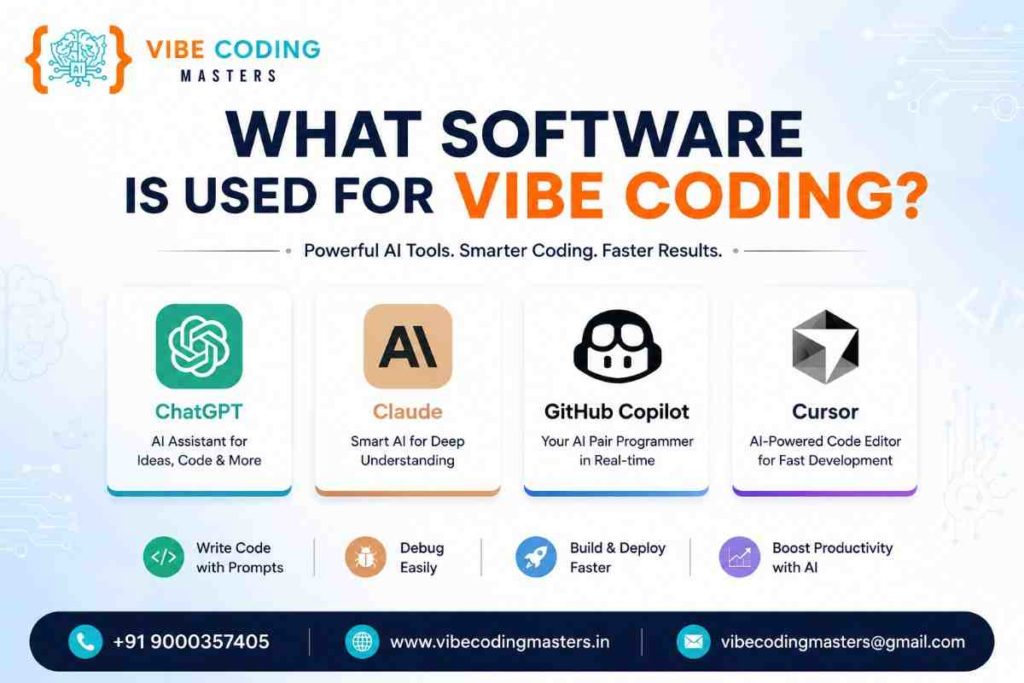
What Software is Used for Vibe Coding?
Vibe Coding relies on specialized AI software that helps developers generate code through plain-language prompts. Top tools include ChatGPT, Claude AI, GitHub Copilot, Cursor AI, Windsurf, Replit AI, Lovable, and Bolt.new. These use large language models to automate coding, debugging, and deployment, accelerating development speed by 40–55%. Mastering these AI tools opens doors to high-paying careers in AI development, prompt engineering, and full-stack roles.
★★★★★
4.9/5 rated by 1329+ students · Google Verified
Table of Contents
What is Vibe Coding?
Vibe Coding is a modern software development practice where developers describe what they want in plain language, and AI tools generate the code automatically. Instead of writing code line-by-line, developers “vibe” with AI—providing natural language prompts, reviewing outputs, and iterating until the final result meets their vision. For a more thorough explanation of how it works and why it matters, our beginner’s guide breaks down the concept step-by-step with examples.
The term was coined in February 2025 by Andrej Karpathy, a computer scientist and former AI leader at Tesla. Since then, it has become one of the fastest-growing development methodologies, with 25% of Y Combinator startups using AI-generated code for over 95% of their codebases as of March 2025.
Why Vibe Coding is Transforming Software Development
Speed & Productivity: Studies show that developers using AI coding tools complete tasks 40–55% faster than those coding manually. GitHub Copilot users report finishing coding projects at rates once thought impossible.
Democratization of Development: You don’t need years of experience to build working applications. Beginners can learn to create full-stack applications in weeks instead of years, using AI to handle complex logic while they focus on architecture and design.
AI-First Career Opportunities: Companies across India—from IT services to startups—are actively hiring for AI developer roles. In Hyderabad specifically, AI developer salaries range from ₹6–12 LPA for freshers to ₹30+ LPA for experienced professionals.
Reduced Development Costs: Startups and freelancers can build MVPs and production-ready apps with minimal teams, dramatically lowering time-to-market and operational costs.
What Software is Used for Vibe Coding
What Software is Used for Vibe Coding?
This section covers the market-leading tools for Vibe Coding in 2026. Each tool serves a different user type and use case. Ready to master all these tools in a structured curriculum? Our full-stack course combines ChatGPT, Cursor, Copilot, and more in a 90+ hour hands-on program with expert mentorship and placement support.
Vibe Coding relies on a combination of AI-powered tools, IDEs, and platforms. These fall into three main categories
1. AI Coding Assistants (Inline & Chat-Based)
These tools integrate into your development environment and generate code based on prompts
- GitHub Copilot – Integrated into VS Code, JetBrains IDEs, and GitHub. Offers inline completions, chat mode, and agent mode.
- Claude AI (via Claude Code) – Browser-based or IDE integration offering multi-file coding with real-time collaboration.
- ChatGPT (OpenAI) – Browser-based chat interface for iterative code generation and debugging.
- Cursor AI – Dedicated AI-first IDE built for Vibe Coding, replacing VS Code with AI-native workflows.
- Windsurf – Modern IDE combining traditional and agentic AI coding for complex projects.
2. No-Code & Low-Code AI Builders
These platforms generate full-stack applications from prompts without requiring traditional coding
- Lovable – Prompt-first platform for building React/TypeScript apps with built-in backend and hosting.
- Bolt.new – Fast, browser-based app builder that generates complete applications in minutes.
- Replit AI – Cloud-based IDE with AI assistance for building full-stack projects.
- Firebase Studio – Google’s AI-powered tool for building backend infrastructure and APIs.
3. Supporting Tools & Infrastructure
These tools work alongside AI coding software to complete the development pipeline
- Visual Studio Code – The most popular IDE, enhanced with Copilot and other AI extensions. Download from VS Code official site.
- GitHub – Version control and collaboration platform for managing AI-generated and human-written code. Learn more at GitHub.
- Node.js – Essential runtime for backend development. Get started at Node.js official documentation.
Best AI Software for Vibe Coding
1. ChatGPT (OpenAI)
Purpose: General-purpose AI assistant for code generation, debugging, and documentation.
Best For: Beginners, rapid prototyping, learning coding concepts.
Strengths:
- Free tier available; paid tier ($20/month) for priority access and faster responses
- Excellent for explaining code and debugging errors
- Multi-turn conversation allows iterative refinement
- Strong at generating HTML, CSS, JavaScript, and Python code
Weaknesses:
- No IDE integration; requires copying code in/out
- Slower than specialized coding tools for complex tasks
- Less aware of project context
Ideal Use Case: Writing small scripts, learning to code, or when you need general AI assistance for code-related questions.
2. Claude AI (Anthropic)
Purpose: Advanced AI assistant with strong reasoning and code understanding.
Best For: Complex projects, prompt engineering, full-stack development.
Strengths:
- Superior understanding of complex code and architecture
- Excellent for debugging and explaining intricate logic
- Context-aware; remembers conversation history for better refinement
- Free Claude 3.5 Sonnet available; paid plans for advanced use
- Claude Code integration for IDE-like experience
Weaknesses:
- Requires separate tool or browser access (not integrated into VS Code natively)
- Longer response times than GitHub Copilot for simple completions
- Premium tier necessary for heavy usage
Ideal Use Case: Designing application architecture, solving complex logic problems, or building production-grade full-stack applications.
3. GitHub Copilot
Purpose: In-IDE AI code completion and generation.
Best For: Professional developers, large teams, enterprise use.
Strengths:
- Seamless integration with VS Code, JetBrains, GitHub, and other IDEs
- Fastest inline code completion for everyday coding tasks
- Agent mode for multi-file edits and autonomous problem-solving
- 40–55% productivity boost for development teams
- Enterprise licensing available
Weaknesses:
- $10/month subscription (or included in GitHub Enterprise)
- Less capable than ChatGPT/Claude for complex reasoning tasks
- Privacy considerations for enterprises handling sensitive data
Ideal Use Case: Professional development workflows, large codebases, and teams needing enterprise-grade support.
4. Cursor AI
Purpose: AI-first IDE purpose-built for Vibe Coding.
Best For: Dedicated Vibe Coders, rapid app development, solo developers.
Strengths:
- Composer mode enables multi-file edits and project-wide refactoring
- Fast onboarding for Vibe Coders; no learning curve
- Built-in chat, code generation, and debugging in one tool
- Premium model options (GPT-4, Claude 3.5 Sonnet)
- Community features for collaboration
Weaknesses:
- $20/month for premium features
- Smaller community compared to VS Code
- Less suitable for traditional code editing workflows
Ideal Use Case: Teams and solo developers fully committed to Vibe Coding methodologies.
5. Windsurf (Codeium)
Purpose: Modern IDE combining traditional coding and agentic AI workflows.
Best For: Advanced developers, enterprise teams, complex systems.
Strengths:
- Multi-model support (GPT-4, Claude, Llama, local models)
- Agentic workflow for autonomous problem-solving
- Fine-grained control over AI behavior
- Enterprise security features
- Seamless git integration and version control
Weaknesses:
- Steeper learning curve than Cursor AI
- Premium pricing for advanced features
- Requires familiarity with AI concepts like agents
Ideal Use Case: Enterprise teams and advanced developers building complex systems with full control over AI interactions.
6. Replit AI
Purpose: Cloud-based IDE with integrated AI assistance.
Best For: Learning, collaboration, cloud-native development.
Strengths:
- No local setup required; works in browser
- Built-in hosting and deployment
- Real-time collaboration for teams
- Multi-language support
- Free tier with optional paid features
Weaknesses:
- Performance limited by browser constraints
- Not suitable for large-scale or performance-critical applications
- Smaller ecosystem compared to VS Code
Ideal Use Case: Students, learning communities, and teams prioritizing real-time collaboration.
7. Lovable
Purpose: Prompt-first platform for building full-stack SaaS applications.
Best For: Non-coders, SaaS MVPs, rapid prototyping.
Strengths:
- Zero coding required; describe features in plain English
- Full-stack capability (React frontend + backend)
- Built-in database and authentication
- Instant deployment via Lovable Cloud
- Real-time preview and iteration
Weaknesses:
- Limited customization for advanced developers
- Vendor lock-in; harder to migrate projects
- Backend features are basic compared to Node.js/Python
Ideal Use Case: Entrepreneurs and product managers building SaaS MVPs without programming knowledge.
8. Bolt.new (by StackBlitz)
Purpose: Instant web app builder powered by AI.
Best For: Frontend prototyping, quick MVPs, portfolio projects.
Strengths:
- Generates complete apps in seconds
- Instant hosting and live preview
- Works entirely in browser; no setup
- Integration with popular frameworks (React, Vue, Next.js)
- Shareable links for collaboration
Weaknesses:
- Frontend-focused; limited backend capabilities
- Not ideal for complex, production-grade systems
- Database integration is basic
Ideal Use Case: Quick prototypes, portfolio projects, and frontend-focused applications.
Why AI Software is Essential for Vibe Coding
AI software is the backbone of Vibe Coding. Without these tools, Vibe Coding doesn’t exist. They handle
- Code Generation – Turning natural language into working code
- Debugging & Refinement – Identifying errors and suggesting fixes
- Architecture Design – Suggesting scalable, production-ready structures
- Testing & Optimization – Generating test cases and optimizing performance
Learning the right tools directly correlates with career success. Developers proficient in Cursor AI, GitHub Copilot, and Claude AI earn 20–30% premium salaries compared to those using basic tools.
Benefits of Using AI Software for Vibe Coding
Benefit | Impact | Evidence |
|---|---|---|
Speed | 40–55% faster development | GitHub Copilot productivity studies, 2025 |
Cost | 60% lower development costs | Y Combinator startup data, 2025 |
Quality | Fewer bugs in production | Automated testing catches issues early |
Learning | 3–6 months to proficiency | Industry reports vs. 2–3 years traditional |
Scalability | Build complex systems with small teams | Startup case studies; reduced team size |
Innovation | Rapid iteration and experimentation | Prototypes built in days, not weeks |
These benefits compound over time, especially when you have expert guidance and structured learning. Discover the full benefits of joining a Vibe Coding course — from accelerated learning and career support to placement assistance and community mentorship
How Beginners Can Start Vibe Coding
Step 1: Choose Your First Tool
Start with ChatGPT (free) or Lovable (free tier). Both require zero setup and teach core Vibe Coding principles within days.
Step 2: Learn Prompt Engineering
The quality of your prompts directly determines output quality. Write clear, specific instructions
- No “Build a website”
- Yes “Build a React landing page with a hero section, three feature cards, and a contact form using Tailwind CSS”
Step 3: Build Small Projects
Start with micro-projects (to-do app, calculator, personal portfolio). Each teaches you how to guide AI effectively.
Step 4: Graduate to IDE-Integrated Tools
After 4–8 weeks, move to Cursor AI or GitHub Copilot. These integrate into professional workflows.
Step 5: Deploy Projects
Use platforms like GitHub to host your code and Node.js for backend deployment. Most AI-generated code is production-ready after testing. Want to see real full-stack projects built with Vibe Coding? Our guide walks through complete projects from concept to deployed production app.
Essential Skills for Vibe Coding
Skill | Why It Matters | How to Learn |
|---|---|---|
Prompt Engineering | Better prompts → better code | Practice writing clear instructions daily |
Git & GitHub | Version control for team projects | Learn Git fundamentals for version control |
JavaScript (or TypeScript) | Core language for web development; AI generates better code when you understand logic | JavaScript and TypeScript syntax and ES6+ |
React | Most popular JavaScript framework; used by Lovable, Bolt.new, and others | React official documentation for components and hooks |
APIs | Understanding HTTP, REST, and GraphQL | Calling APIs, data fetching, and backend integration |
Databases | Understanding data storage and retrieval | SQL/NoSQL fundamentals for backend projects |
Vibe Coding Career Opportunities
Vibe Coding opens doors to high-demand roles
- AI Developer (₹12–30 LPA) – Build AI-assisted applications
- Full Stack AI Developer (₹15–40 LPA) – Frontend + backend + AI expertise
- Prompt Engineer (₹8–25 LPA) – Specialize in writing AI prompts
- Freelance Developer (₹50K–₹2L per project) – Build for global clients
- SaaS Founder (Variable, based on product revenue) – Launch AI-first products
Hyderabad Advantage: Hyderabad’s tech ecosystem creates abundant opportunities. Freshers start at ₹6–12 LPA and grow to ₹30–70+ LPA with experience.
Industries Using Vibe Coding
Industry | Application | Impact |
|---|---|---|
FinTech | Payment systems, fraud detection, risk modeling | Rapid prototyping reduces time-to-market by 60% |
Healthcare | Medical data analysis, patient management systems, diagnostic tools | Build production-grade backend systems with Node.js, Python, and databases to power AI applications safely. |
E-commerce | Personalization engines, inventory management, chatbots | AI recommendations drive 30% higher conversion |
SaaS | 25% of YC startups now build AI-first products | Reduced time-to-market; lower burn rate |
Logistics | Route optimization, demand forecasting | AI improves efficiency by 40%+ |
EdTech | Personalized learning, automated grading, content generation | AI enables 1-on-1 teaching at scale |
Software Comparison Table
Tool | Best For | Free Tier? | Key Features | Price | Skill Level |
|---|---|---|---|---|---|
ChatGPT | Learning, prototyping | Yes | Chat, code gen, debugging | Free–$20/month | Beginner |
Claude AI | Complex architecture | Yes | Advanced reasoning, context | Free–$20/month | Intermediate |
GitHub Copilot | Professional teams | No | IDE integration, agent mode | $10/month | Intermediate–Advanced |
Cursor AI | Dedicated Vibe Coders | No | Composer mode, multi-file edits | $20/month | Intermediate |
Windsurf | Enterprise systems | No | Multi-model, agentic workflows | $25/month+ | Advanced |
Replit AI | Learning, collaboration | Yes | Cloud IDE, hosting, chat assistance | Low–Medium | Free–$13/month |
Lovable | No-code SaaS, MVP | Yes (limited) | Full-app generation, Lovable Cloud backend | Beginner | Free–$20/month |
Bolt.new | Rapid frontend prototyping | Yes | Instant app generation, instant hosting | Beginner | Free–Premium |
Learning Roadmap for Vibe Coding
Level | Skills to Learn | Timeline | Tools to Master |
|---|---|---|---|
Beginner | Prompt engineering, basic HTML/CSS/JS, problem-solving | 4–6 weeks | ChatGPT, Lovable, Bolt.new |
Intermediate | React, Node.js, APIs, databases, Git | 8–12 weeks | Cursor AI, Replit AI, Claude AI |
Advanced | Full-stack architecture, deployment, testing, optimization | 12–16 weeks | GitHub Copilot, Windsurf, Vercel/Netlify |
Expert | Agentic workflows, complex integrations, team leadership | 16+ weeks | All tools + custom MCP servers, advanced prompting |
Key Comparisons: Head-to-Head
ChatGPT vs. GitHub Copilot
ChatGPT Strengths: Better reasoning, multi-turn refinement, free tier, no setup required.
GitHub Copilot Strengths: IDE integration, faster completions, enterprise support, agent mode.
Winner: ChatGPT for learning; GitHub Copilot for professional teams.
Cursor AI vs. Windsurf
Cursor Strengths: Purpose-built for Vibe Coding, simpler interface, faster learning curve.
Windsurf Strengths: Multi-model support, enterprise features, more control over AI behavior.
Winner: Cursor for solo developers; Windsurf for enterprises.
Lovable vs. Bolt.new
Lovable Strengths: Full-stack capability, built-in backend, real-time collaboration.
Bolt.new Strengths: Faster generation, simpler frontend-focused builds, instant hosting.
Winner: Lovable for SaaS MVPs; Bolt.new for quick prototypes.
Why Vibe Coding is Becoming the Best Career Skill
1. Explosive Demand
India leads global AI adoption at 73% usage rate—significantly outpacing the US (45%) and UK (29%). Companies actively hiring AI developers report 30% year-over-year salary growth for top talent. Hyderabad’s thriving tech ecosystem creates abundant opportunities for those pursuing the best Vibe Coding Course In Hyderabad.
2. High Compensation
In Hyderabad specifically, AI developers command premium salaries. Starting salaries range from ₹6–12 LPA for freshers to ₹30–70+ LPA for senior professionals. When you join the Vibe Coding Course In Hyderabad, you gain access to placement networks that help secure these high-paying roles quickly.
3. Remote Work & Flexibility
AI development is location-independent. Developers in India can freelance for global clients, earning 2–5x higher rates than domestic opportunities.
4. Startup Ecosystem
25% of Y Combinator’s Winter 2025 batch built AI-first products. Founders using Vibe Coding can launch SaaS products in weeks, not months, creating lucrative equity opportunities. The top-rated Vibe Coding Course In Hyderabad helps aspiring entrepreneurs master these tools for rapid product development.
5. Rapid Skill Growth
Unlike traditional programming (which takes 2–3 years to reach proficiency), Vibe Coding enables beginners to build production-grade applications in 3–6 months. Working professionals can accelerate this even further with weekend and online batches, flexible schedules, and practical project-based learning designed for busy schedules.
6. Future-Proof Career
AI adoption is accelerating. By 2026, AI-assisted development is becoming the industry standard, not an exception. Early adopters command premium compensation.
Key Takeaways
- Vibe Coding is the future of software development. By 2026, AI-assisted development is becoming the default, not the exception. Learn now and lead.
- Choose tools based on your goals. Beginners start with ChatGPT or Lovable. Professionals scale with Cursor AI, GitHub Copilot, or Windsurf.
- Prompt engineering is a core skill. The ability to clearly describe what you want directly impacts output quality. Practice writing effective prompts daily.
- India leads AI adoption globally. With 73% usage rate and ₹1.25 billion investment in the India AI Mission, Hyderabad is one of the best places to build an AI-first career.
- Salaries are growing fast. AI developer compensation has doubled since 2023, with 15–20% annual growth expected through 2026 and beyond.
- You don’t need years of experience. Beginners can build production-grade applications in 3–6 months using modern AI tools and the Vibe Coding Course In Hyderabad.
- Flexibility and remote work are built-in. AI development is location-independent, enabling freelancing and global opportunities from anywhere.
Conclusion
Vibe Coding is reshaping how software is built. The tools—ChatGPT, Claude AI, GitHub Copilot, Cursor AI, Lovable, Bolt.new, and others—are no longer experimental. They’re production-ready, widely adopted, and essential for staying competitive in 2026’s job market.
Whether you’re a student exploring coding for the first time, a working professional looking to upskill, or an entrepreneur building the next unicorn startup, learning Vibe Coding and these AI tools is one of the highest-ROI skill investments you can make.
In Hyderabad’s thriving tech ecosystem, demand for AI developers far outpaces supply. Freshers start at ₹6–12 LPA and grow to ₹30–70+ LPA with experience. The career path is clear, the tools are free or affordable, and the time to competency is measured in months, not years.
Ready to Start Your Vibe Coding Journey?
Join the best Vibe Coding Course In Hyderabad and gain hands-on mastery of ChatGPT, Cursor AI, GitHub Copilot, and all major AI tools. Build real-world projects, get certified, and secure a high-paying role with 100% placement assistance. Learn from industry experts with 10+ years of experience, get one-on-one mentorship, and launch your AI-first career in weeks.
Enroll for a free live demo today and discover how AI-assisted development can transform your career.
FAQ
1. What software should a complete beginner start with?
Start with ChatGPT (free) or Lovable for no-code building. Both are beginner-friendly and require no setup. ChatGPT teaches you to think in prompts; Lovable teaches you to think in features. After 2–4 weeks, graduate to Cursor AI or Replit AI.
2. Which AI tool is best for beginners?
Lovable or Bolt.new if you want zero coding; ChatGPT if you want to learn by doing. Both have free tiers and supportive communities.
3. Is ChatGPT enough for Vibe Coding?
Yes, for learning and small projects. But professional workflows benefit from IDE-integrated tools like GitHub Copilot or Cursor. ChatGPT lacks context awareness across files.
4. What is Cursor AI?
Cursor is an IDE purpose-built for AI-assisted development. It replaces VS Code with a tool optimized for Vibe Coding workflows. It offers Composer mode (multi-file edits), chat, and code generation in one interface.
5. What is Windsurf?
Windsurf is a modern IDE combining traditional and agentic workflows. It supports multiple AI models and is ideal for complex projects where you need flexibility and control. See Windsurf in action for backend development — our backend project guide shows how to build scalable, production-grade systems with security and performance best practices.
6. Is GitHub Copilot worth it?
Yes, for professional developers and teams. The $10/month cost pays for itself through 40–55% productivity gains. Not necessary for beginners.
7. Can beginners learn Vibe Coding?
Absolutely. Vibe Coding was designed to democratize development. Beginners with zero coding experience can build working applications within 4–8 weeks using Lovable or Bolt.new. After completing our course, you’ll earn an industry-recognized certification that validates your skills to employers and improves your job prospects.
8. Which software is free?
ChatGPT (GPT-3.5 free tier), Claude AI (Claude 3.5 Sonnet free), Replit AI, Lovable, and Bolt.new all offer free tiers. GitHub Copilot offers a 1-month free trial.
9. Which AI coding assistant is most accurate?
Claude AI and GPT-4 have the highest reasoning accuracy. GitHub Copilot is fastest for everyday tasks. For complex logic, Claude edges ahead.
10. What career opportunities exist after learning Vibe Coding?
AI Developer (₹12–30 LPA), Full Stack AI Developer (₹15–40 LPA), Prompt Engineer (₹8–25 LPA), Freelance Developer (₹50K–₹2L per project), and SaaS Founder (variable, based on product). Remote and freelance opportunities pay 2–5x higher than domestic roles. Prepare for interviews in these roles with our comprehensive Q&A guide, which covers tools, workflow, projects, and common technical questions.