Vibe Coding Productivity Tips for Developers: The 2026 Playbook
AI Overview Summary: Vibe coding productivity tips for developers focus on pairing AI coding assistants like GitHub Copilot, Cursor, Windsurf, and Claude with disciplined prompt engineering, structured workflows, and human code review. Done well, this combination speeds up prototyping, testing, and documentation while keeping code quality, security, and maintainability intact.
★★★★★
4.9/5 rated by 1329+ students · Google Verified
Table of Contents
Introduction
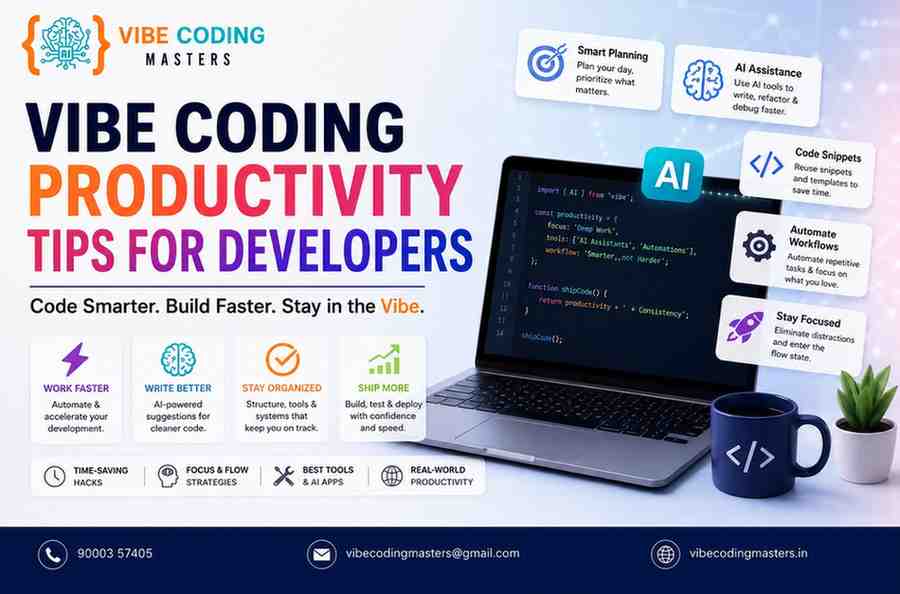
Developer productivity has always mattered, but it matters more now because the bar for what “fast” looks like has moved. Teams that once measured feature delivery in weeks are being asked to ship in days, and AI-powered coding tools are the reason that expectation has become realistic. GitHub Copilot, Cursor, Windsurf, ChatGPT, Claude, and Gemini have all become fixtures inside modern IDEs, handling everything from autocomplete to full multi-file refactors.
(If you’re new to the concept itself, our complete guide to what vibe coding is covers the definition and origins in depth — this article assumes you already know the basics and focuses entirely on getting more done, faster once you’re using these tools.)
Access to AI tools alone doesn’t guarantee productivity. Developers who get the most out of vibe coding treat it as a skill: they know how to prompt precisely, when to trust the output, and when to slow down and review. This guide walks through the vibe coding productivity tips for developers that actually move the needle — the tools worth using, the workflows worth adopting, and the mistakes worth avoiding.
Vibe Coding Productivity Tips for Developers
Why Developer Productivity Matters in Modern Software Development
Software timelines have compressed. Products ship faster, competitors move quicker, and users expect frequent updates. In that environment, developer productivity isn’t just about individual output — it determines whether a team can respond to market changes, fix issues before they become incidents, and keep technical debt from piling up.
AI-powered coding tools have changed the productivity equation in three concrete ways
- Faster first drafts. AI-powered coding tools can create boilerplate code, CRUD structures, and repetitive programming patterns within minutes, dramatically reducing development time.
- Lower context-switching cost. AI chat and inline assistants reduce the need to leave the editor to search documentation or Stack Overflow.
- Democratized debugging. Modern AI assistants analyze stack traces and error logs to identify probable root causes, helping developers diagnose and resolve issues much faster.
Recent industry surveys back this up. Developer research from Stack Overflow’s 2025 survey found that among developers who use AI agents, a large majority say agents have measurably reduced time spent on specific tasks and improved their overall output. At the same time, the same research highlights an important caveat: trust in AI-generated code hasn’t kept pace with adoption, which is why productivity gains only hold up when paired with good review habits.
Top Vibe Coding Productivity Tips for Developers
These are the habits that separate developers who get real speed gains from vibe coding from those who end up fighting their tools.
- Write context-rich prompts, not vague requests. Include the file, function signature, expected inputs/outputs, and edge cases. Vague prompts produce vague code.
- Keep humans in the review loop. Treat AI output as a first draft, not a finished product — especially for logic that touches money, auth, or user data.
- Use AI for scaffolding, not architecture decisions. Let AI generate boilerplate and repetitive code; keep architectural decisions with the team.
- Chain small prompts instead of one giant one. Asking for a whole feature in one prompt tends to produce sprawling, hard-to-review code. Breaking it into smaller, verifiable steps is easier to debug.
- Pair AI-generated code with automated tests immediately. Generating tests alongside implementation code catches regressions before they reach review.
- Standardize prompt templates across the team. Shared prompt patterns for common tasks (new endpoint, new component, bug fix) reduce variance in output quality.
- Version-control your prompts for complex features. Treating prompts like reusable assets makes it easier to regenerate or adjust code later.
- Don’t skip documentation just because AI can write code fast. Use the time saved on boilerplate to actually document decisions and trade-offs.
- Rotate between models for different tasks. Some models are stronger at reasoning-heavy debugging, others at fast completions — match the tool to the task.
- Set a personal “trust but verify” rule for security-sensitive code. Authentication, payment logic, and data handling should always get a manual security pass.
Best AI Tools That Improve Vibe Coding Productivity
A handful of tools dominate the vibe coding landscape in 2026, each with a different philosophy.
- GitHub Copilot — deeply integrated into VS Code, Visual Studio, and JetBrains IDEs, strong for inline completions and increasingly capable agent and chat modes.
- Cursor — a VS Code fork built around AI-native workflows, known for codebase-aware chat, multi-file editing, and an “Agent” mode for larger changes.
- Windsurf — an AI-first editor (formerly Codeium, now under Cognition AI) built around its Cascade agent and background “cloud sessions” for autonomous coding tasks.
- ChatGPT — widely used for architecture discussions, debugging walkthroughs, and generating code snippets outside the IDE.
- Claude — frequently used for larger context windows, careful multi-step reasoning, and tasks like reviewing an entire module or migrating a legacy codebase.
- Gemini — integrated across Google’s developer tools and increasingly used for code review and testing workflows inside Google Cloud environments.
Prompt Engineering Tips for Faster Code Generation
Prompt engineering is the single highest-leverage skill in vibe coding. A few practical techniques
- Specify the “shape” of the answer. Ask for a function signature, a diff, or a specific file structure rather than “write me a script.”
- Give constraints up front. Language version, framework, libraries already in use, and style conventions all reduce back-and-forth.
- Ask for reasoning before code on complex logic.Creating a brief implementation plan before writing code helps uncover design flaws and inefficient approaches early, reducing costly changes later in development.
- Provide a negative example. Telling the model what NOT to do (e.g., “don’t use a global variable here”) prevents common failure patterns.
- Iterate instead of restarting. Refining an existing response is usually faster and more accurate than starting a new prompt from scratch.
How Vibe Coding Reduces Development Time
The time savings from vibe coding show up in a few predictable places: initial scaffolding, repetitive CRUD operations, test generation, and first-pass documentation. Developers frequently report that setting up a new API endpoint, writing accompanying unit tests, and drafting the corresponding docs — tasks that once took an afternoon — can now be compressed into a focused hour or two of prompting and review.
The time saved isn’t free, though. Reviewing AI output, catching subtle logic errors, and fixing “almost right but not quite” suggestions all take real effort. The net productivity gain depends heavily on how disciplined the review process is — teams with strong test coverage and code review habits tend to see the cleanest gains.
Common Productivity Mistakes Developers Should Avoid
- Accepting AI output without reading it. This is the single biggest driver of hidden bugs and security issues in vibe-coded projects.
- Over-relying on one giant prompt for an entire feature. It’s harder to review and more likely to introduce inconsistent patterns.
- Skipping tests because “the AI probably got it right.” AI-generated code still needs the same test discipline as hand-written code.
- Ignoring security review for auth, payments, and data-handling code. Independent security testing of AI-generated applications has repeatedly found real, exploitable vulnerabilities.
- Letting AI-authored code silently drift from the team’s architecture. Without periodic review, AI-generated shortcuts can accumulate into real technical debt.
- Not customizing prompts to the codebase’s actual conventions. Generic prompts produce generic code that doesn’t match existing patterns.
Best Practices for AI-Assisted Software Development
- Maintain a lightweight style guide the AI can be pointed to (naming conventions, folder structure, testing framework).
- Require a human review step for anything touching authentication, payments, or personal data — no exceptions.
- Keep a “prompt library” of proven prompts for common tasks like new endpoints, bug triage, and refactors.
- Track how much of the codebase is AI-generated so the team can target review effort where it matters most.
- Pair AI code generation with static analysis and security scanning tools rather than relying on manual review alone.
Vibe Coding Workflow for Maximum Productivity
A workflow that balances speed and quality typically looks like this
- Define the task clearly — write a short spec or user story before prompting.
- Prompt for a plan first, then for the implementation.
- Generate code in small, reviewable chunks rather than one large feature dump.
- Run automated tests immediately after each chunk is accepted.
- Do a manual review pass, focused on logic, security, and edge cases.
- Ask the AI to generate documentation for the finished feature.
- Commit with a clear message noting which parts were AI-assisted, for future maintainers.
Frontend Productivity Tips Using Vibe Coding
For frontend work, vibe coding tends to shine at component scaffolding, styling variations, and accessibility fixes. Productivity tips specific to frontend development
- Ask the AI to generate a component along with its prop types and a basic test, all in the same prompt.
- Use AI to quickly generate responsive layout variations, then manually fine-tune the details that matter for brand consistency.
- Have the AI check components against accessibility standards (contrast, ARIA labels, keyboard navigation) as a dedicated review pass.
- Use AI-assisted refactors to break large components into smaller, reusable ones — a task developers often postpone due to time pressure.
Want structured, mentor-led practice with these techniques? Our Vibe Coding Frontend Course in Hyderabad walks through them project by project.
Backend Productivity Tips Using Vibe Coding
On the backend, the highest-value use cases are boilerplate reduction and test coverage
- Generate CRUD endpoints and their corresponding validation logic together, then review for security edge cases.
- Use AI to draft database migration scripts, but always review them manually before running against production data.
- Ask for edge-case test generation specifically — AI tools are good at enumerating boundary conditions developers might skip under time pressure.
- Use AI to explain and refactor legacy backend code before making changes, especially in codebases without much documentation.
If you’d rather build these habits with guided projects, check out our Vibe Coding Backend Course in Hyderabad.
Full Stack Development with Vibe Coding
Full stack developers benefit most from vibe coding when they use it to maintain consistency across layers — for example, generating a database schema, the corresponding API endpoints, and the frontend components that consume them in a single connected workflow. The productivity gain comes from reducing the friction of translating a data model from database to API to UI by hand. The risk is losing sight of the bigger architectural picture when moving quickly across layers, so periodic step-back reviews of the overall system design remain important.
Our Full Stack with Vibe Coding Course in Hyderabad is built around exactly this kind of cross-layer, project-based practice.
GitHub Copilot vs Cursor AI vs Windsurf vs ChatGPT
Tool | Best Use Case | Pricing (2026) | IDE Support |
GitHub Copilot | Inline completions, deep IDE integration | Free tier; Pro $10/mo; Pro+ $39/mo; Business $19/user/mo | VS Code, Visual Studio, JetBrains, Neovim |
Cursor | Codebase-aware chat, multi-file agent edits | Free (Hobby); Pro $20/mo; Pro+ $60/mo; Ultra $200/mo; Teams from $40/user/mo | Standalone VS Code fork |
Windsurf | Autonomous agent workflows, background cloud sessions | Free tier; Pro $20/mo; Max $200/mo; Teams $40/user/mo | Standalone editor |
ChatGPT | Architecture discussion, debugging outside the IDE | Free tier; Plus and higher paid tiers available | Browser, desktop app, IDE plugins |
Note: AI coding tool pricing changes frequently as vendors move between credit-based and usage-based billing models — always confirm current rates on the provider’s official pricing page before budgeting.
Measuring Developer Productivity with AI Tools
Raw output volume (lines of code, PRs merged) is a poor productivity metric on its own, since AI tools make it trivially easy to generate more code without necessarily generating more value. More useful signals include
- Cycle time — how long it takes a task to go from “started” to “merged.”
- Defect escape rate — how many bugs make it past review into production.
- Time-to-first-review — how quickly a PR gets meaningful feedback.
- Developer-reported time savings on specific task types (scaffolding, testing, debugging).
- Rework rate — how often AI-generated code needs significant revision after initial acceptance.
Industry data suggests this measurement gap is real: even as the vast majority of developers use AI tools daily, trust in AI-generated code has not kept pace with adoption, which is exactly why teams need productivity metrics that account for review and rework time, not just generation speed.
Future of AI-Powered Software Development
Analyst forecasts suggest AI-generated code will keep climbing as a share of total new code written, with some estimates putting AI-generated code at roughly half of new code by the end of 2026 and enterprise adoption of prompt-driven development continuing to grow through the rest of the decade. At the same time, the same research points to a widening gap between adoption and trust — more code is being AI-generated, but confidence in that code without review has not grown at the same pace.
The likely trajectory is a shift from pure “vibe coding” toward what some in the industry call “agentic engineering”: AI agents that operate within bounded, well-tested environments while developers retain responsibility for architecture, security, and final review. Governance, testing infrastructure, and security tooling are expected to become just as important a differentiator for teams as raw AI adoption.
How Developers Can Master Vibe Coding Faster
- Start with low-risk tasks (tests, docs, scaffolding) before trusting AI with core business logic.
- Build a personal prompt library based on what has worked well in your own codebase.
- Study your own review corrections — patterns in what you have to fix repeatedly reveal how to prompt better next time.
- Pair with a teammate who’s further along in AI-assisted workflows to shortcut the learning curve.
- Set a personal rule for when to stop prompting and start writing code manually — not every problem benefits from AI assistance.
Why Vibe Coding is Becoming an Essential Skill for Modern Developers
Vibe coding is increasingly treated as a core professional skill rather than a novelty, for a few clear reasons
- Faster software delivery — teams that use AI-assisted workflows well can ship features and fixes noticeably faster than teams that don’t.
- Better collaboration — shared prompt libraries and AI-assisted documentation make it easier for distributed teams to stay aligned.
- Reduced repetitive coding — boilerplate, migrations, and CRUD scaffolding take a fraction of the time they once did.
- Higher code quality when paired with review discipline — AI can catch patterns a tired developer might miss, provided a human still checks the output.
The career and compensation angle is a bigger topic than this article can do justice to — see our dedicated breakdowns on career opportunities after learning vibe coding and what you can expect to earn after learning vibe coding for the full picture.
Key Takeaways
- Vibe coding pairs natural-language prompting with AI code generation, and it works best when developers stay in the review loop rather than accepting output blindly.
- The biggest productivity gains come from scaffolding, test generation, documentation, and debugging support — not from skipping architecture and security review.
- Prompt engineering is a learnable skill: specific, constrained, incremental prompts consistently outperform vague, all-in-one requests.
- Tool choice matters less than workflow discipline — GitHub Copilot, Cursor, Windsurf, and Claude can all boost productivity when paired with solid testing and review habits.
- The industry is moving from loose “vibe coding” toward more structured “agentic engineering,” making governance and code quality just as important as raw AI adoption.
Conclusion
Vibe coding productivity tips for developers ultimately come down to one idea: AI tools are powerful accelerators, not replacements for engineering judgment. The developers seeing the biggest gains aren’t the ones prompting the most — they’re the ones prompting precisely, reviewing consistently, and building workflows that catch mistakes before they ship.
If you’re looking to get more out of AI-assisted development, start small: pick one tool, build a prompt library for your most repetitive tasks, and pair every AI-generated feature with real tests and a manual review pass. The productivity gains are real, but they compound fastest when speed and quality grow together. Now is a good time to start mastering vibe coding workflows — the developers who build that fluency now will have a real head start as AI-assisted development keeps becoming the industry default.
If you’d rather build these habits with a mentor and real projects instead of on your own, our Vibe Coding Course in Hyderabad walks through this entire workflow hands-on, batch by batch.
FAQ
Is Vibe Coding suitable for beginners?
Yes, for learning and prototyping — though beginners should still learn core programming fundamentals so they can evaluate whether AI-generated code is actually correct. See our eligibility guide for exactly what background you need to get started.Which AI tools are best for Vibe Coding?
GitHub Copilot, Cursor, Windsurf, ChatGPT, Claude, and Gemini are the most widely used, each suited to slightly different workflows.Does Vibe Coding replace programmers?
No. It changes what programmers spend time on — more review, prompting, and architecture; less manual boilerplate writing.Can AI improve developer productivity?
Yes, particularly for scaffolding, test generation, and debugging support, though gains depend on review discipline.Is GitHub Copilot enough for Vibe Coding?
For many developers, yes, especially for inline completions. Larger, more autonomous tasks are often better handled by tools like Cursor or Windsurf.How do I become productive with AI coding?
Focus on precise prompting, small reviewable increments, and consistent testing rather than trying to generate entire features in one step.What skills are required for Vibe Coding?
Strong fundamentals in programming, prompt engineering, code review, and testing — AI amplifies existing skill rather than replacing it.Which IDE is best for AI-assisted coding?
It depends on workflow: VS Code with Copilot for broad IDE support, Cursor for codebase-aware agent editing, and Windsurf for autonomous, agent-heavy workflows.Is Vibe Coding the future of software development?
It’s already a significant part of the present, with adoption expected to keep growing — though the industry is shifting toward more structured, governed versions of AI-assisted development.