Vibe Coding in Power Apps: The Complete 2026 Guide
Vibe coding in Power Apps means building business applications by describing what you want in plain language, while Microsoft’s AI tools (like Copilot) generate the screens, data connections, and Power Fx formulas. It works alongside — not instead of — Power Apps fundamentals, and benefits citizen developers, business analysts, and professional developers who want to prototype and ship internal apps faster.
★★★★★
4.9/5 rated by 1329+ students · Google Verified
Table of Contents
Introduction
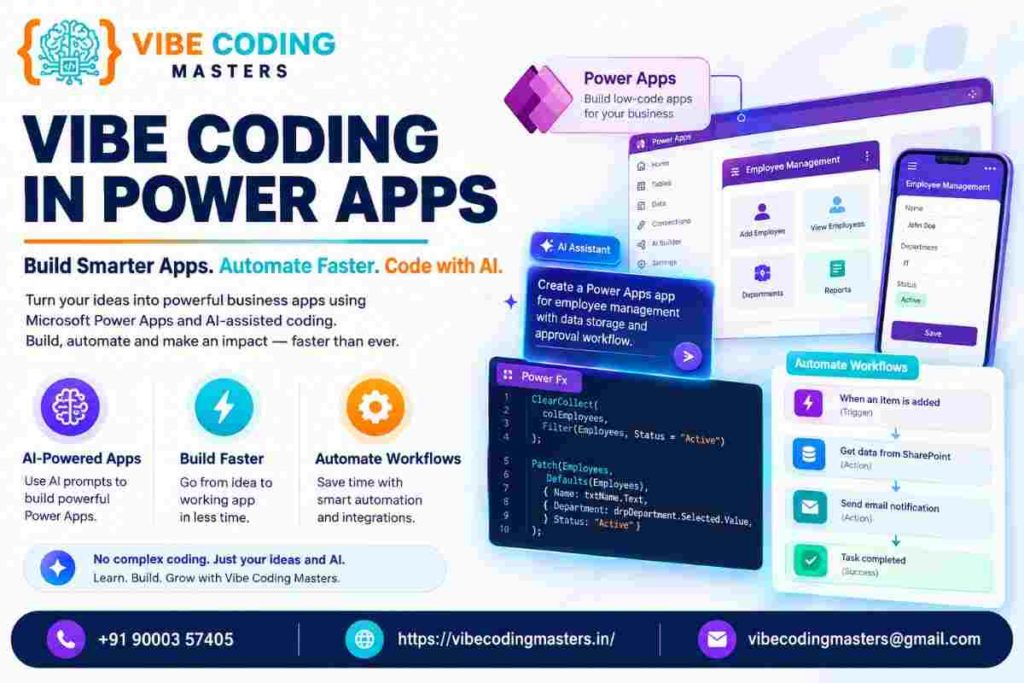
“Vibe coding” has become the shorthand for a simple but powerful shift in how software gets built: instead of writing every line yourself, you describe what you want in natural language and let an AI model generate a working first draft, which you then review, test, and refine. It started in general-purpose coding tools, but the same idea has quietly moved into low-code platforms — and nowhere is that more visible than in Microsoft Power Apps.
At Vibe Coding Masters, our Hyderabad-based training focuses on AI-assisted full-stack development — tools like Cursor, Lovable, and Bolt, built on HTML, CSS, JavaScript, React, and Node.js. Power Apps sits in a different part of the ecosystem (Microsoft’s own low-code platform), so this guide isn’t about our course curriculum — it’s a look at how the same vibe-coding pattern you’d learn with us shows up inside a completely different platform, which is useful context whether you’re comparing tools or just curious how far the idea extends.
Power Apps is Microsoft’s low-code application development platform, part of the wider Power Platform. It lets people build custom business apps — leave trackers, inventory tools, approval workflows, customer service apps — without writing traditional code from scratch. Power Apps connects to data sources like Microsoft Dataverse, SharePoint, Excel, and SQL Server, and lets makers assemble screens, forms, and logic visually.
Vibe coding in Power Apps, in practical terms, means using Microsoft’s built-in AI capabilities — commonly referred to as Copilot — to describe an app idea in a sentence or two and have the platform generate a starting version: screens, a data table, and some of the underlying formulas. From there, you refine it, connect real data sources, adjust the logic, and test it before it goes anywhere near production.
It’s important to clearly understand what this means and what it does not mean. This is AI-assisted development, not automated software delivery. The AI can accelerate the first 60–70% of a build — the scaffolding, the boilerplate screens, a first attempt at a formula — but a human still has to validate the business logic, check data access and security, and make judgment calls the AI can’t make on its own. Anyone marketing “fully automated app development” is overselling what today’s tools do.
Who benefits from this approach? Citizen developers and business analysts who understand a business problem but don’t write code professionally; existing Power Platform developers who want to move faster on repetitive scaffolding; and organizations that want to reduce the backlog of small internal tools sitting in the IT queue. AI-powered low-code development is gaining traction for a simple reason: business demand for internal apps has always outpaced the supply of developers who can build them, and natural-language tooling narrows that gap without requiring everyone to learn to code from zero.
Vibe Coding in Power Apps
What Is Vibe Coding in Power Apps?
Short answer for search snippets: Vibe coding in Power Apps is the practice of building canvas or model-driven apps by describing your requirements in natural language and letting Microsoft’s AI-assisted tools (Copilot) generate the initial app structure, data tables, and Power Fx formulas, which the maker then reviews and refines.
The term borrows its spirit from general “vibe coding” — prompting an AI to write code based on intent rather than syntax — but the Power Apps version is narrower and more structured, because it operates inside a platform with defined data models, connectors, and governance controls.
A few things define it within the Power Apps ecosystem
- Natural-language instructions replace some (not all) manual screen-building and formula-writing.
- AI-assisted app development happens through Copilot features embedded directly in Power Apps Studio, in both canvas apps and model-driven apps.
- Makers describe what they want (“build an app to track employee leave requests with approval status”) rather than specifying every control and property by hand.
- It sits at the intersection of vibe coding, low-code development, and AI — you’re still working inside Power Apps’ visual, structured environment, just with a conversational entry point.
- Human review and validation remain essential. AI-generated screens, tables, and formulas need to be checked against actual business rules, data sensitivity, and edge cases before an app is shared with real users.
In short: it’s a faster on-ramp into Power Apps development, not a replacement for understanding how the platform works.
How Does Vibe Coding in Power Apps Work?
The workflow follows a fairly consistent pattern, whether you’re a citizen developer or a professional Power Platform developer
- Define the business requirement. Get specific — “track leave requests” is vaguer and less useful than “track leave requests with employee name, leave type, dates, and a manager approval status.”
- Describe the desired application using natural language. In Power Apps Studio, this is typically done through the Copilot-powered “describe your app” entry point.
- Use AI capabilities available within the Microsoft ecosystem. Copilot interprets the description and proposes an app structure, including a Dataverse table with relevant columns.
- Generate or assist with app components, formulas, or logic. This includes initial screens, galleries, forms, and Power Fx formulas for things like filtering, sorting, or validation.
- Connect data sources. Whether the AI generates a new Dataverse table or you point the app at existing data (SharePoint, Excel, SQL), this step ties the app to real business data.
- Test the application. Click through every screen and action path, not just the happy path.
- Review AI-generated output. Check formulas for correctness, confirm field types make sense, and verify the data model matches what the business actually needs.
- Improve the application through additional instructions. Copilot supports iterative conversation — you can ask it to add a field, change a layout, or adjust a formula, and continue refining from there.
- Deploy and maintain the application. Publish, share with the right security roles, and plan for ongoing updates as requirements change.
The review step (7) deserves emphasis. AI-generated formulas can be syntactically valid but logically wrong — for example, a filter condition that technically runs but excludes records it shouldn’t. Security is another area that needs a human eye: an AI won’t automatically know that a “leave management” app should hide salary-adjacent fields from most users. Treat AI output as a strong first draft, not a finished, audited product.
This nine-step sequence is a Power Apps-specific version of a pattern we cover more broadly in our vibe coding workflow guide, which walks through how the describe → generate → review cycle plays out across different AI coding tools.
Why Vibe Coding in Power Apps Is Becoming Popular
A few practical reasons are driving adoption
- Faster prototyping — a working first version can exist in minutes instead of days, which shortens the feedback loop with stakeholders.
- Reduced repetitive development work — scaffolding a data table and a basic CRUD screen used to be routine, time-consuming setup; AI assistance compresses it.
- Easier application creation for people without a traditional programming background.
- Natural-language interaction lowers the barrier for business users describing what they need.
- Support for citizen developers, who can now go further before needing to loop in IT.
- Productivity improvements for professional developers, who can offload boilerplate and focus on the parts that need real engineering judgment.
- Rapid business solution development for internal, department-specific tools that would never get IT budget on their own.
- Easier experimentation — testing an idea no longer requires a full build commitment.
- Integration with Microsoft business tools — Power Apps already connects natively to Microsoft 365, SharePoint, Teams, and Dynamics 365, so AI-assisted apps plug into workflows people already use.
None of this means AI-assisted development guarantees a fixed productivity percentage — that depends heavily on the complexity of the app, the maker’s existing skill, and how much rework the AI-generated draft needs.
Power Apps and AI-Assisted Development
Microsoft has been steadily building AI into the Power Platform rather than treating it as a bolt-on feature. Copilot in Power Apps lets makers build an app — including the data behind it — through a conversational, multi-step process, and it extends into the running app itself, so end users can interact with their data conversationally rather than only through forms and buttons.
Relevant pieces of the ecosystem to know
- Power Apps — the app-building layer (canvas and model-driven apps).
- Microsoft Copilot capabilities — the AI layer embedded across app creation, editing, and formula writing.
- Power Platform — the umbrella that includes Power Apps, Power Automate, Power BI, and Power Pages.
- Power Automate — for workflow automation that often pairs with Power Apps (e.g., an approval flow triggered from an app).
- Dataverse — the platform’s native, secure data storage layer.
- Power BI — for turning app data into dashboards and reports.
- AI-assisted formula creation — Copilot can draft Power Fx formulas from a description.
- Natural-language application development — the broader pattern this article is about.
One honest caveat worth stating clearly: specific AI features, their availability by region and language, and their exact behavior change fairly often as Microsoft rolls out updates. Treat any specific feature list — including this one — as a snapshot, and check current Microsoft documentation before building a course module or client proposal around a specific capability.
Key Features Used in Vibe Coding in Power Apps
Feature | What it does |
Natural-language app creation | Describe an app idea; Copilot proposes screens and a data structure |
AI-assisted formulas | Copilot drafts Power Fx expressions from a plain-language description |
Power Fx assistance | Formula bar suggestions and corrections while you build |
Data integration | Connects to Dataverse, SharePoint, Excel, SQL Server, and more |
Secure, structured data storage native to the Power Platform | |
AI-assisted workflow creation | Copilot in Power Automate helps draft flow logic |
Power Automate integration | Adds automation (approvals, notifications) around the app |
App prototyping | Fast, disposable first drafts to validate an idea before committing |
Business process automation | Combines app + flow to replace manual, repetitive processes |
Data visualization | Power BI integration turns app data into reports |
For a beginner, the practical takeaway is: you don’t need to master every row in that table on day one. Start with natural-language app creation and basic Power Fx, then layer in Dataverse, Power Automate, and Power BI as your projects get more ambitious.
Power Fx and Vibe Coding in Power Apps
Power Fx is Power Apps’ low-code formula language — a general-purpose, strongly typed, declarative language expressed in human-readable, Excel-like syntax. Even when AI writes the first draft of a formula, understanding Power Fx matters, for a few reasons
- AI can draft formulas, but not always correctly. Copilot can produce a formula that runs without errors but doesn’t do exactly what you intended — for example, a filter that uses the wrong comparison operator.
- Debugging AI-generated formulas requires reading them. If you can’t read Power Fx, you can’t confirm whether the AI got it right, and you’re stuck re-prompting blindly.
- Validating business logic is a human judgment call. A formula might be technically correct but implement the wrong business rule (e.g., approving leave requests over 5 days instead of under 5 days).
A simple conceptual example: asking Copilot to “show only leave requests still pending approval” might generate something close to Filter(LeaveRequests, Status = “Pending”). That’s a reasonable first draft — but if your data uses a status value of “Pending Approval” instead of “Pending”, the formula will silently return zero results instead of erroring out. Only someone who understands both the data and Power Fx will catch that quickly. Don’t expect every AI-generated formula to work perfectly without adjustment — budget time for review.
Vibe Coding in Power Apps vs Traditional App Development
Factor | Traditional Custom Dev | Low-Code (Power Apps, manual) | AI-Assisted Power Apps (Vibe Coding) |
Development speed | Slowest | Moderate | Fastest for first drafts |
Coding requirements | High (full-stack skills) | Low to moderate | Low, with formula literacy still useful |
Customization | Highest | High within platform limits | High, but AI draft may need rework |
Learning curve | Steep | Moderate | Gentler entry point |
Business-user accessibility | Low | Moderate | Higher |
Governance | Custom-built, IT-owned | Platform-provided | Platform-provided, but needs AI-output review |
Scalability | Fully controllable | Platform-dependent | Platform-dependent |
Testing | Extensive, manual | Standard | Standard, plus AI-output verification |
Maintenance | High effort | Moderate | Moderate |
These approaches aren’t mutually exclusive. A team might use AI-assisted Power Apps for a quick internal prototype, then hand a more complex, high-stakes version to a professional developer who builds it with tighter custom control — or a professional developer might use AI assistance themselves to skip the boilerplate and focus effort on the hard parts.
Vibe Coding in Power Apps vs Traditional Vibe Coding
“Traditional” vibe coding usually refers to prompting an AI model inside a general-purpose coding environment (writing Python, JavaScript, or similar) to generate application code from scratch. Vibe coding inside Power Apps is a related but distinct experience.
Area | Traditional Vibe Coding | Vibe Coding in Power Apps |
Development environment | General-purpose code editor / AI coding assistant | Power Apps Studio |
Programming requirements | Full programming language knowledge helpful | Power Fx (lighter-weight) |
UI creation | Built manually or generated as raw code | Assembled visually, AI-assisted |
Data connectivity | Custom-built (APIs, databases) | Native connectors (Dataverse, SharePoint, SQL, etc.) |
Enterprise integration | Requires custom engineering | Built into the Microsoft 365 ecosystem |
Governance | Managed separately by the team | Managed through Power Platform admin tools |
Customization | Effectively unlimited | Bound by platform capabilities |
Deployment | Custom hosting/DevOps pipeline | Built-in publishing and sharing |
Target users | Software developers | Citizen developers, analysts, and professional developers alike |
Use traditional vibe coding when you need full control over architecture and no platform constraints. Use vibe coding in Power Apps when the app is an internal business tool that benefits from native Microsoft integration, built-in governance, and a faster path to something usable.
If you’re weighing this against general-purpose AI coding tools, see how vibe coding with Cursor and Antigravity works in practice, or read our wider vibe coding vs no-code tools comparison for how Power Apps stacks up against other no-code platforms.
Benefits of Vibe Coding in Power Apps
- Faster prototyping for internal tools and proof-of-concept apps
- Lower repetitive coding effort for common patterns (CRUD screens, basic forms)
- Easier application development for non-traditional developers
- Faster experimentation before committing engineering time
- Improved collaboration between business teams and IT, since both can look at the same working draft
- Easier automation when paired with Power Automate
- Better accessibility for citizen developers and business analysts
- Faster conversion of a business requirement into a testable application
Some of these are near-guaranteed (faster first drafts, easier entry point); others — like exact productivity gains or long-term maintenance savings — depend on the app’s complexity and how disciplined the review process is. Treat the second category as a potential benefit worth measuring, not an automatic outcome.
Limitations and Challenges of Vibe Coding in Power Apps
- AI-generated errors — formulas or logic that look right but behave incorrectly in edge cases
- Incorrect formulas — especially around data type mismatches or unexpected null values
- Hallucinated or misunderstood requirements — the AI may build something adjacent to, but not exactly, what was asked
- Security considerations — AI won’t automatically apply the right field-level or row-level security
- Data privacy — especially relevant when apps touch personal or sensitive data
- Governance — proliferation of quickly built apps can create sprawl without oversight
- Licensing considerations — Power Apps and Dataverse capacity have licensing implications that scale with usage
- Integration complexity — connecting to legacy or non-Microsoft systems may still require custom connectors
- Performance concerns — apps built quickly may not be optimized for scale
- Scalability — an app designed for 10 users may behave differently at 1,000
- Vendor/platform dependency — you’re building inside Microsoft’s ecosystem and its constraints
- Human review requirements — every AI-generated component needs a check
- Difficulty handling highly specialized business logic — deep domain-specific rules often still need a human to write or heavily edit the formula
None of this makes AI-assisted development a bad idea — it means AI should assist developers and citizen developers, not eliminate the need for technical oversight, testing, and governance discipline.
Skills Required for Vibe Coding in Power Apps
- Power Apps fundamentals (canvas and model-driven app basics)
- Power Fx (enough to read and adjust AI-generated formulas)
- Basic programming concepts (variables, conditionals, loops — conceptually, even without a traditional language)
- Prompt writing (describing requirements clearly and specifically)
- AI literacy (understanding what AI tools can and can’t reliably do)
- Dataverse basics (tables, relationships, security roles)
- Power Automate basics (for automation-heavy apps)
- Microsoft 365 familiarity (SharePoint, Teams, Excel as data sources)
- Data modeling fundamentals
- SQL fundamentals (useful when connecting to SQL Server data)
- APIs and REST concepts (for custom connectors)
- JSON basics (many connectors and API responses use it)
- Security and permissions concepts
- Testing and debugging discipline
- Business requirement analysis (translating a vague ask into a clear spec)
Traditional development knowledge — even a little — remains valuable here. Someone who understands how databases, APIs, and application logic work in general will read AI-generated Power Fx and data models faster, and will catch mistakes a pure beginner might miss.
Tools to Learn for Vibe Coding in Power Apps
- Microsoft Power Apps — the core app-building tool
- Power Automate — workflow automation paired with apps
- Microsoft Dataverse — the native data platform
- Power BI — reporting and dashboards on top of app data
- Power Fx — the formula language
- Microsoft Copilot capabilities — the AI layer across the platform
- SharePoint — a common lightweight data source
- Microsoft 365 — the broader ecosystem Power Apps integrates with
- Azure services (where relevant) — for advanced scenarios like custom APIs or AI Builder models
- APIs and connectors — for extending beyond native Microsoft data sources
- SQL — for working with relational data sources
Each tool plays a distinct role: Power Apps builds the interface, Dataverse or SQL stores the data, Power Automate handles what happens behind the scenes, and Power BI turns the results into something leadership can act on.
For a wider view of the AI coding landscape beyond the Power Platform, see what software is used for vibe coding and our roundup of vibe coding platforms.
Real-World Use Cases of Vibe Coding in Power Apps
- Employee management applications — describe the fields you need (name, department, manager, status) and let AI scaffold the data table and forms
- Leave management systems — a classic first project; request, approval status, and manager review
- Customer service applications — ticket intake and status tracking
- Sales tracking applications — pipeline stages, deal values, and follow-up reminders
- Inventory management — stock counts, reorder thresholds, and location tracking
- Expense approval applications — submission, receipt attachment, and approval routing
- Helpdesk applications — issue intake, categorization, and resolution tracking
- Project management apps — task lists, owners, and due dates
- HR onboarding applications — checklists and document collection for new hires
- Field-service applications — job assignment and status updates for mobile workers
In each case, natural-language requirements and AI assistance mainly accelerate the first draft — the table structure, a basic form, and simple filtering logic. The business-specific rules (approval thresholds, escalation paths, notification timing) almost always need manual refinement.
Who Can Learn Vibe Coding in Power Apps?
- Freshers — a genuinely low-barrier entry point into app development
- Software developers — a fast way to prototype internal tools without a full stack
- .NET developers — Power Apps and Dataverse integrate naturally with the Microsoft stack they already know
- Web developers — transferable logic and data-modeling skills
- Business analysts — a direct path from requirement-gathering to a working prototype
- Power Platform developers — AI assistance speeds up routine parts of the job
- IT professionals — useful for internal tooling and automation work
- Citizen developers — the core audience Power Apps was built for
- Career-switchers — a lower-friction way into tech than a full software engineering path
- Entrepreneurs and small-business teams — build internal tools without hiring a developer
The learning path differs by background: a business analyst might start entirely with natural-language prompting and basic Power Fx, while a developer might jump straight into Dataverse modeling and custom connectors, using AI mainly to skip repetitive scaffolding.
Career Opportunities After Learning Vibe Coding in Power Apps
Learning Power Apps — with or without AI assistance — can open the door to roles like Power Apps Developer, Power Platform Consultant, Business Application Developer, and Solution Architect. Microsoft Power Apps careers increasingly reward people who combine platform skills with AI literacy, and Power Platform knowledge complements existing skills in .NET, JavaScript, SQL, or Azure rather than replacing them.
For a fuller breakdown of roles, hiring trends, and realistic salary ranges, see our dedicated guides on careers after vibe coding and salary after learning vibe coding.
Vibe Coding in Power Apps Career Path
Level | Learning Focus | Skills to Develop | Practical Projects |
Beginner | Power Apps fundamentals | Power Apps, Power Fx basics, simple UI | Simple business app (e.g., a request form) |
Intermediate | Data and automation | Dataverse, Power Automate, APIs | Workflow application (e.g., approval flow) |
Advanced | AI-assisted development | Copilot capabilities, integrations, governance | Enterprise-style app with multiple data sources |
Expert | Architecture and optimization | Security, ALM, governance, architecture | Production-ready, multi-user solution |
At each stage, the goal isn’t just “finish a project” — it’s being able to explain why the app is built the way it is, including the parts an AI tool suggested and the parts you changed after review. For a broader, tool-agnostic version of this progression, see our vibe coding roadmap.
Vibe Coding in Power Apps Projects for Beginners
- Employee Leave Management App — practice forms, status tracking, and simple approval logic
- Employee Registration App — practice data tables, validation, and basic CRUD screens
- Expense Management App — practice attachments, approval routing, and calculated totals
- Customer Support App — practice ticket intake, status filtering, and search
- Inventory Management App — practice numeric logic (stock levels, reorder alerts)
- Student Management App — practice relational data (students, courses, grades)
- Task Management App — practice due dates, priority sorting, and owner assignment
- HR Onboarding App — practice checklists and multi-step processes
Each of these is small enough to build in a single sitting with AI assistance, then extend over several sessions as you add Power Automate flows, Power BI reporting, or tighter security roles. Looking for ideas outside Power Apps too? Browse our broader list of vibe coding projects for beginners.
Vibe Coding in Power Apps vs Other AI Development Approaches
Approach | Main Purpose | Coding Level | Typical Users | Best Use |
Power Apps | Business applications | Low-code | Business + IT | Internal business apps |
AI-assisted coding | Custom software development | Medium–High | Developers | Custom applications |
Traditional development | Full software control | High | Developers | Complex applications |
AI-assisted low-code development | Faster business app creation | Low–Medium | Business + developers | Rapid business solutions |
No single approach is universally “best” — the right choice depends on how custom, how scalable, and how integrated with existing systems the application needs to be.
Why Vibe Coding in Power Apps Can Be Valuable for Businesses
- Supports broader digital transformation goals by lowering the cost of building internal tools
- Speeds up business process automation, especially paired with Power Automate
- Enables faster prototyping before committing engineering budget
- Reduces the backlog of small internal application requests sitting with IT
- Improves collaboration between business teams (who know the problem) and developers (who can harden the solution)
- Fits naturally into organizations already using Microsoft 365 and the wider Power Platform
- Makes experimentation cheaper, so more ideas can be tested before scaling the ones that work
The actual business value an organization sees depends heavily on implementation quality, governance discipline, licensing choices, and how well the use case fits the platform — not on the technology alone.
Future of Vibe Coding in Power Apps
Trends worth watching
- Increasing AI assistance across more parts of the app-building process, not just initial scaffolding
- Growth of natural-language development as the default entry point for new makers
- Tighter integration between AI capabilities and low-code platforms generally, not just Power Apps
- AI-assisted testing and AI-assisted debugging becoming more common
- More accessible application development for non-technical business users
- Growing importance of governance and security as more AI-generated apps enter production
- A likely rise in hybrid roles that combine AI literacy with traditional Power Platform development skills
Treat all of this as a reasonable direction based on where Microsoft has been investing, not a guaranteed roadmap — specific feature timelines and capabilities should always be checked against current Microsoft documentation before being treated as fact.
Why Vibe Coding in Power Apps Is Becoming an Important Development Skill
The combination of AI, low-code development, business knowledge, data, and automation is increasingly how internal business software actually gets built — not through a single traditional software engineering pipeline, but through a mix of citizen developers, business analysts, and professional developers working in the same low-code environment. Professionals who understand both AI-assisted tools and the underlying fundamentals — Power Fx, data modeling, security — are generally better positioned to work across this mix than those who only know one side of it. That’s a reasonable expectation based on current hiring patterns, not a ranking claim about which skill matters most.
Key Takeaways
- Vibe coding in Power Apps means describing an app in natural language and using Copilot to generate a first draft — not fully automated, hands-off development.
- Power Fx literacy still matters, because AI-generated formulas can be syntactically valid but logically wrong.
- The biggest practical benefit is faster prototyping and lower repetitive-coding effort, not a guaranteed fixed productivity gain.
- Security, governance, and business-logic validation remain human responsibilities, regardless of how the first draft was generated.
- It’s a genuinely accessible entry point for citizen developers, business analysts, and freshers, while still rewarding those who also learn the platform’s fundamentals.
Conclusion
Vibe coding in Power Apps is best understood as a faster on-ramp into Microsoft’s low-code ecosystem, not a shortcut that removes the need to understand how the platform actually works. Describing an app idea in plain language and getting a working first draft is genuinely useful — it shortens the distance between a business problem and a testable prototype. But the apps that end up trustworthy in production are the ones where someone checked the AI’s formulas, tightened the security, and validated the business logic by hand.
That’s exactly why learning Power Apps fundamentals, Power Fx, Dataverse, and Power Automate alongside AI-assisted tools matters — for beginners just as much as for experienced developers. The AI accelerates the first draft; your judgment is what makes the app actually usable.
If you’re ready to move past reading about it, the best next step is building something small — a leave request app, a task tracker, anything with a handful of fields and a clear approval step — and treating every AI-generated screen and formula as a draft to review, not a final answer. Start learning vibe coding in Power Apps, build a couple of real practice projects, and let the fundamentals catch up with the speed. If you’d rather learn the fundamentals with a mentor and real projects, our Full Stack with Vibe Coding Course in Hyderabad covers the AI-assisted development skills this article builds on.
FAQ
- What is vibe coding in Power Apps?
It’s the practice of describing an app idea in natural language and using Microsoft’s Copilot-powered AI tools in Power Apps to generate the initial screens, data structure, and formulas, which you then review and refine.
- Can Power Apps be used for vibe coding?
Yes. Power Apps includes Copilot features that let makers build apps conversationally, from describing an app idea to generating Power Fx formulas.
- Is vibe coding available in Microsoft Power Apps?
Yes, through Copilot capabilities built into Power Apps Studio for both canvas and model-driven apps, though exact feature availability varies by region and language.
- Can beginners learn vibe coding in Power Apps?
Yes — it’s one of the lower-barrier entry points into app development, though basic Power Fx knowledge makes reviewing AI-generated output much easier.
- Do I need coding knowledge for Power Apps?
Not to get started, but understanding Power Fx fundamentals helps you validate and fix AI-generated formulas rather than accepting them blindly.
- What is the role of Copilot in Power Apps development?
Copilot helps generate initial app structures, suggests and writes Power Fx formulas, and supports iterative refinement through conversation as you build.
- Is Power Fx required for Power Apps development?
It’s the platform’s native formula language, so while AI can draft formulas for you, being able to read and adjust Power Fx is important for anything beyond the simplest apps.
- What jobs can I get after learning Power Apps and AI?
Roles like Power Apps Developer, Power Platform Consultant, Business Application Developer, and Automation Developer are common paths, though outcomes depend on experience and portfolio.
- Is vibe coding in Power Apps replacing traditional developers?
No — it changes how some development work gets done, especially scaffolding and prototyping, but human review, security judgment, and complex logic still require developer involvement.
- How do I start learning vibe coding in Power Apps?
Start with Power Apps fundamentals and basic Power Fx, build a simple project like a leave management app, then layer in Copilot-assisted app creation, Dataverse, and Power Automate as you go.